14 GB
Getting started
Before you start / Getting started
Q
Removing the isolating strip
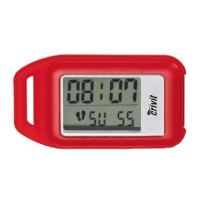
The batteries are already installed in the device on delivery.
j Pull the isolating strip on the back of the device in the direction
of the arrow.
Your pedometer is now ready for operation and is in count mode
(see “Hold mode / Count mode”).
Q
Getting started
Before using the device for the first time, you must set the following
parameters: length of stride (walking), body weight, current time,
day of the week. The functions offered by the pedometer cannot
otherwise be used to proper effect.
To make settings, you must first switch the pedometer from count
mode to hold mode.
Q
Hold mode / Count mode
When you start the device for the first time, the pedometer is auto-
matically in count mode.



 To Next Page