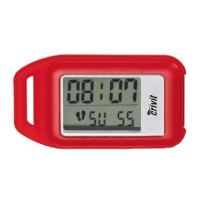
15 GB
Getting started
Note: In hold mode the measuring functions of the pedometer
are disabled.
j Press the MODE button
4
for approx. 3 seconds. You will
hear a signal.
flashes alternately with the number of
steps.
j Press the MODE button
4
for approx. 3 seconds to enter
count mode. You will hear a signal.
disappears.
Q
Setting parameters
j Switch the device to hold mode (see “Hold mode / Count
mode”).
j Press the SET button
3
to switch to entry mode.
Note: If you do not make an entry within 14 seconds, the de-
vice automatically switches to hold mode.
j STRIDE appears on the function bar
14
. The cm icon
15
and
the default 60 cm appear on the LCD screen. Press the MODE
4
and CLEAR
1
buttons to set the required stride length.
Note: The stride length can be set within a range of 10 to
225 cm.
Tip: Hold down the MODE
4
and CLEAR
1
buttons for ap-
prox. 3 seconds. This enables you to make the settings faster. You
can also use this faster setting option for subsequent settings.
j Confirm your entry by pressing the SET button
3
. WEIGHT
appears on the function bar
14
. The kg icon
15
and the



 To Next Page