19 GB
Use
the MODE button
4
to switch from one item to the next.
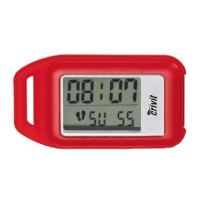
It is possible to display the following:
Time
23
= current time
km
16
= distance covered
kcal
17
= calories burned
Timer
23
= elapsed time
AVG Speed
16
= average speed
Q
Viewing the weekly record
For this function, the device must be in count mode (see “Hold
mode / Count mode”).
Note: The pedometer stores the distance covered and the calories
burned for the current week of training. You also have the option
of viewing separate training days.
Note: The record for a week always starts on a Monday. Please
note that all the data recorded in the week is always deleted at
midnight on Sunday.
Note: The current daily records are automatically stored in the
weekly record every day at midnight and reset to 0.
Note: Either the large CR2032 batteries or the small LR44 bat-
tery are used to store the data. All the stored data are erased if all
the batteries are out of the device at the same time.



 To Next Page