2.27
Pinto BT-POM 1212 - Revision 5
Section 2 Pre-Operation Check - 2000 Litre
Check Controller
Operation
Check the functions and operation to the
Pinto controller. It may be fi tted with a
standard controller or optional MT3405
controller.
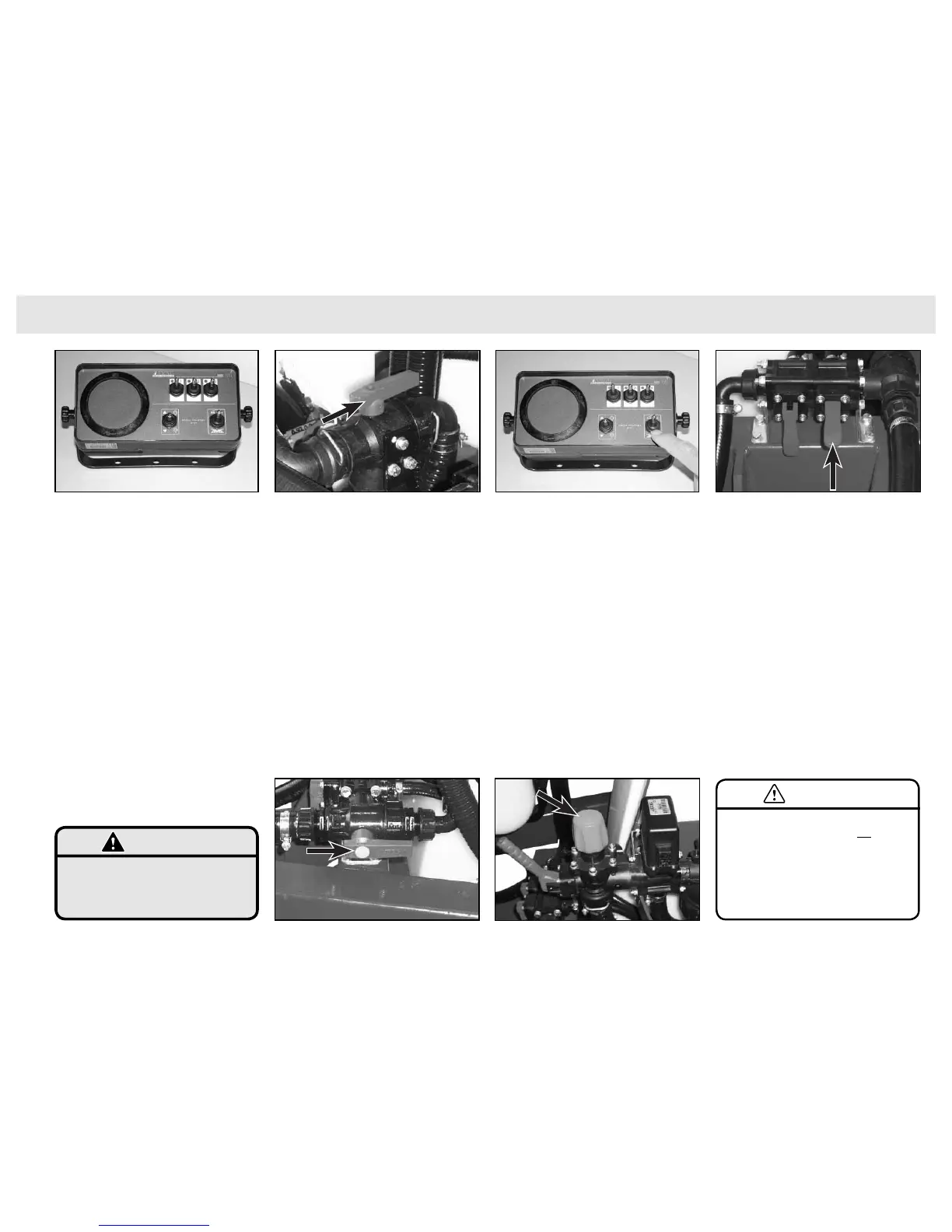
a) Check Standard Controller
Operation (if fi tted)
This electric controller provides boom
switch and pressure controls.
To operate the unit:
1 Connect Pinto to tractor (see
instructions page 2.21) connecting
the hitch, PTO and controller.
2 Fill appropriate quantity of clean
water into spray tank. Always fi ll the
tank through the main lid with the
basket fi lter in place.
3 Check that the Directional Suction
Valve is sourcing from the main tank.
4 Check the Pressure Flow Valve is
in spraying position.
5 Place sprayer controller into start up
position by ensuring the master
switch in OFF position.
6 Engage PTO and bring the PTO
(pump) speed up to 540 RPM.
All pumped liquid is now being
passed through the dump valve
back into the tank. The system is
not pressurised and tank agitators
are not working.
7 Pressurise the system and operate
the tank agitator by placing the
Master switch into ON position.
8 Adjust pressure to desired operating
pressure by fi rst closing the electrical
regulating valve (servo) using the
pressure up/down switch on the
console, and then by adjusting the
manual Pressure Regulator valve to
maximum working pressure.
Maximum working pressure should
not exceed 8 bar.
9 Check that the Agitator Valve is open.
10 Check that the main tank agitator is
working.
Important: Do not have pesticides in the main
tank when checking the sprayer.
WARNING
Standard Controller (7) Pressurise the sytem by placing the Master switch
in ON position.
Maximum working pressure with the electric
regulating valve closed should not exceed 8
bar.
CAUTION
(9) Check the Agitator Valve is open & agitator
operating.
(4) Check the Pressure FLow Valve is in Spraying position.
(3) Check the Directional Suction Valve is from the main
tank.
(8) Adjust the Pressure Regulator valve.


 To Next Page