EasyManua.ls Logo

Crown CTs 2-Channel Series - User Manual

Crown CTs 2-Channel Series
60 pages
Print Icon
To Next Page IconTo Next Page
Loading...
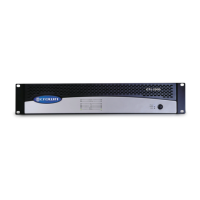
CTs 600
Obtaining Other Language Versions: To obtain information in another language about the use of this product, please contact your local
Crown Distributor. If you need assistance locating your local distributor, please contact Crown at 574-294-8000.
This manual does not include all of the details of design, production, or variations of the equipment. Nor does it cover every possible
situa tion which may arise during installation, operation or maintenance.
The information provided in this manual was deemed accurate as of the publication date. However, updates to this information may have
occurred. To obtain the latest version of this manual, please visit the Crown website at www.crownaudio.com.
Trademark Notice: Com-Tech, BCA, Crown, Crown Audio, Amcron and Multi-Mode are registered trademarks of Crown International.
IQwic, PIP and PIP2 are trademarks of Crown International. Other trademarks are the property of their respective owners.
© 2008 by Crown Audio
®
, Inc. 1718 W. Mishawaka Rd., Elkhart, Indiana 46517-9439 U.S.A. Telephone: 574-294-8000
137000-5A
1/08
CTs Series Operation Manual
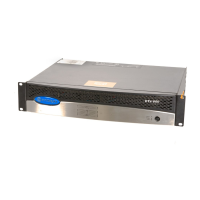
CTs 1200
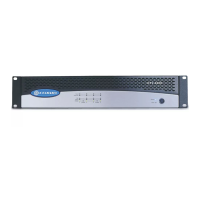
CTs 2000
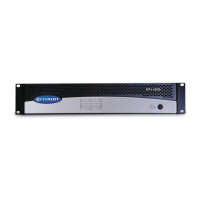
CTs 3000
Page 3: 2-channel models
Page 31: Multi-channel models
CTs 8200
CTs 4200


Table of Contents

Questions and Answers

  • J
    James HopkinsAug 13, 2025
    Why is the thermal indicator on my Crown Amplifier?
    • A
      Amy CampbellAug 13, 2025
      If the Crown Amplifier is overheating, allow it to cool down. Make sure that the loads are not less than 2 ohms, and that the input levels aren't excessive. Also, verify that the ventilation is sufficient and the mode-switch setting is correct.
  • J
    Jennifer LevineAug 17, 2025
    What to do if my Crown CTs 2-Channel Amplifier has distorted sound?
    • K
      Krista LeeAug 17, 2025
      If your Crown Amplifier's sound is distorted, check if the load is wired correctly and that the Stereo/Mono mode switch is set correctly. Also, if the input is overloaded by a signal level that is too high, turn down your amplifier level controls, or turn down the input signal, until the clip light goes out.
  • J
    Jennifer NewmanAug 21, 2025
    How to fix a Crown CTs 2-Channel when the power indicator is off?
    • W
      williamgreeneAug 21, 2025
      If the power indicator is off on your Crown Amplifier, it could be due to several reasons. The amplifier might have lost AC power, or the Power switch might be off. Ensure the amplifier is properly plugged into the power receptacle. If the amplifier output level is too high, allow the unit to cool, turn down the Level controls, and press the Reset Switch on the back panel.
  • J
    Justin BaxterAug 25, 2025
    What to do if Crown CTs 2-Channel Amplifier has no sound but has power?
    • S
      Shannon HillAug 25, 2025
      If there is no sound from your Crown Amplifier, even though it has power, the Power LED is on without flashing, and the amp is receiving an input signal while the Signal indicator is flashing, check the speaker connections. The speakers may not be connected, or there may be an open circuit due to speaker failure. Also, check for a short on the amplifier output by disconnecting your speakers from the affected channel(s) one by one to determine if one of the loads is shorted.
  • A
    Amber RoweAug 28, 2025
    Why is the power indicator flashing on my Crown CTs 2-Channel?
    • S
      Suzanne GuerreroAug 28, 2025
      If the power indicator on your Crown Amplifier is flashing, it means that the AC line voltage has dropped below 20% or has risen above 10% of the nominal line voltage of the power supply.
  • D
    Dwayne WadeSep 1, 2025
    What to do if Crown CTs 2-Channel Amplifier has no input signal?
    • C
      Christopher GreeneSep 1, 2025
      If your Crown Amplifier has no input signal and the signal indicator isn't flashing even though audio is applied and the channel is ready, it could be because the input signal level is very low, or the level controls are turned down.
  • A
    Amy HuntSep 4, 2025
    What does it mean if the fault indicator is flashing on my Crown Amplifier?
    • C
      Catherine TranSep 4, 2025
      If the Fault indicator is flashing on your Crown Amplifier, the amplifier channel has stopped operating. Refer the unit to an authorized Crown Service Center.
  • J
    John RichardsonSep 8, 2025
    Why is the data indicator not flashing on my Crown CTs 2-Channel Amplifier?
    • B
      blakebettySep 8, 2025
      If the Data indicator is not flashing on your Crown Amplifier, even though the PIP module is installed and the host computer IQ software is active, the cable between the computer and the PIP module may be broken or not connected.

Crown CTs 2-Channel Series Specifications

General IconGeneral
Channels2
Input Sensitivity1.4V
Frequency Response20Hz - 20kHz
THD<0.05% (at full rated power from 20 Hz to 20 kHz)
Signal to Noise Ratio>100dB
Input Impedance20kΩ
CoolingVariable speed fan
Dimensions19"
Damping Factor>200

Related product manuals