page 5
Reference Manual
Networked PIP Series
Table of Contents
FCC Compliance Notice .............................................................. 2
Declaration of Conformity ............................................................ 3
Quick Install Procedure ................................................................ 4
Illustrations .................................................................................. 7
1 Welcome ..................................................... 9
1.1 Unpacking ........................................................................ 10
1.2 How to Use This Manual ................................................... 10
2 Controls, Indicators and Connectors ..................... 11
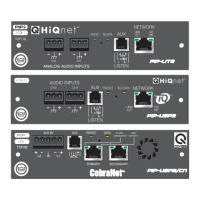
2.1 PIP-Lite................................................................... 11
2.2 PIP-USP3................................................................ 12
2.3 PIP-USP3/CN.......................................................... 13
3 Installation .................................................. 14
3.1 Prepare the PIP ................................................................. 14
3.2 Prepare the Amplifier ........................................................ 14
3.3 Install the PIP Into the Amplifier ....................................... 15
3.4 Install the Wiring .............................................................. 16
3.4.1 Wiring Rules.............................................................. 16
3.4.2 Wiring Instructions.................................................... 17
4 How to Set Up TCP/IP....................................... 19
4.1. Introduction...................................................................... 19
4.1.1 Glossary .................................................................... 19
4.2 TCP/IP Addressing Rules .................................................. 21
4.3 Network Setup Wizard................................................. 22
5 Operation .................................................... 24
5.1 Hardware ........................................................................... 26
5.1.1 Data Indicator ........................................................... 26
5.1.2 Preset Indicator ......................................................... 26
5.1.3 Network Connector ................................................... 26
5.1.4 Link/Activity Indicator ............................................... 26
5.1.5 100 Mb Indicator (PIP-Lite, USP3 only) ................... 26
5.1.6 CobraNet Connectors (USP3/CN only)...................... 26
5.1.7 CobraNet In-use/Conductor Indicator
(USP3/CN only) ......................................................... 27
5.1.8 Balanced Audio Inputs .............................................. 27
5.1.9 Aux Input/Output Connector ..................................... 27
5.1.10 Listen Bus or Foldback............................................ 28
5.1.11 Preset/Reset Switch ................................................ 28
5.2 Features of All Three Modules ........................................... 29
5.2.1 User Presets ............................................................. 29
5.2.2 Clip Event Monitor .................................................... 29
5.2.3 Input Signal Level Monitor ....................................... 29
5.2.4 Output Signal Level Monitor ..................................... 29


 To Next Page