ΒΤ 100 USB Bluetooth Dongle Manual
________________________________________________________________________
29
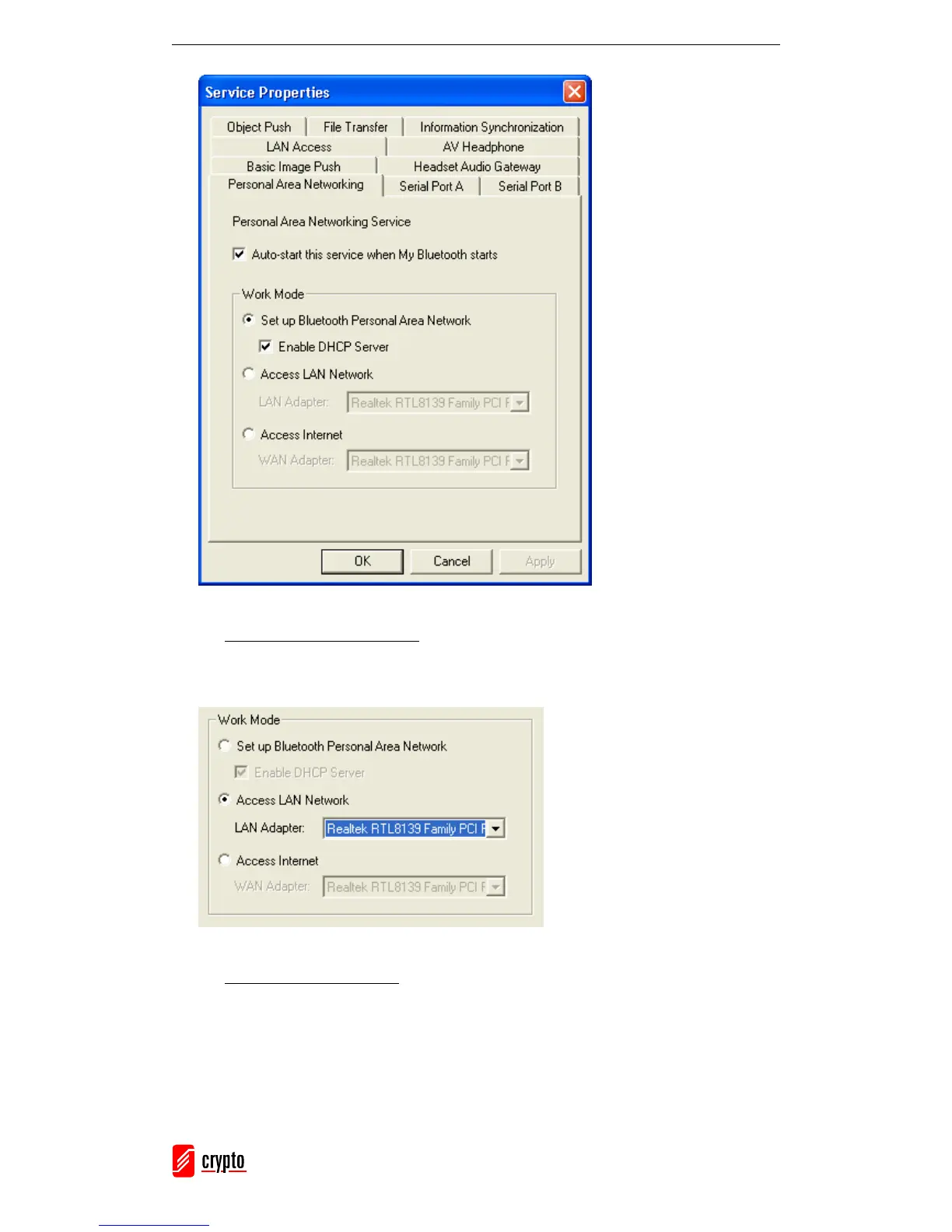
2. Access LAN via PAN-NAP
Select Access LAN Network and at the LAN Adapter field select the physical
network adapter through which the NAP connects to a LAN.
3. Access Internet via NAP
Select Access Internet and at the WAN Adapter field select the physical network
adapter, through which the NAP connects to the Internet. NAT function and a DHCP
server will be automatically enabled.



 To Next Page