ReDi 50A Quick User Manual
V . I p i r o u 4 5 , 1 5 1 2 5 M a r o u s i , Τ el: 210-8098700, Fax: 210-6122512
Site: w w w . c r y p t o . g r , Email: crypto@crypto.gr
3
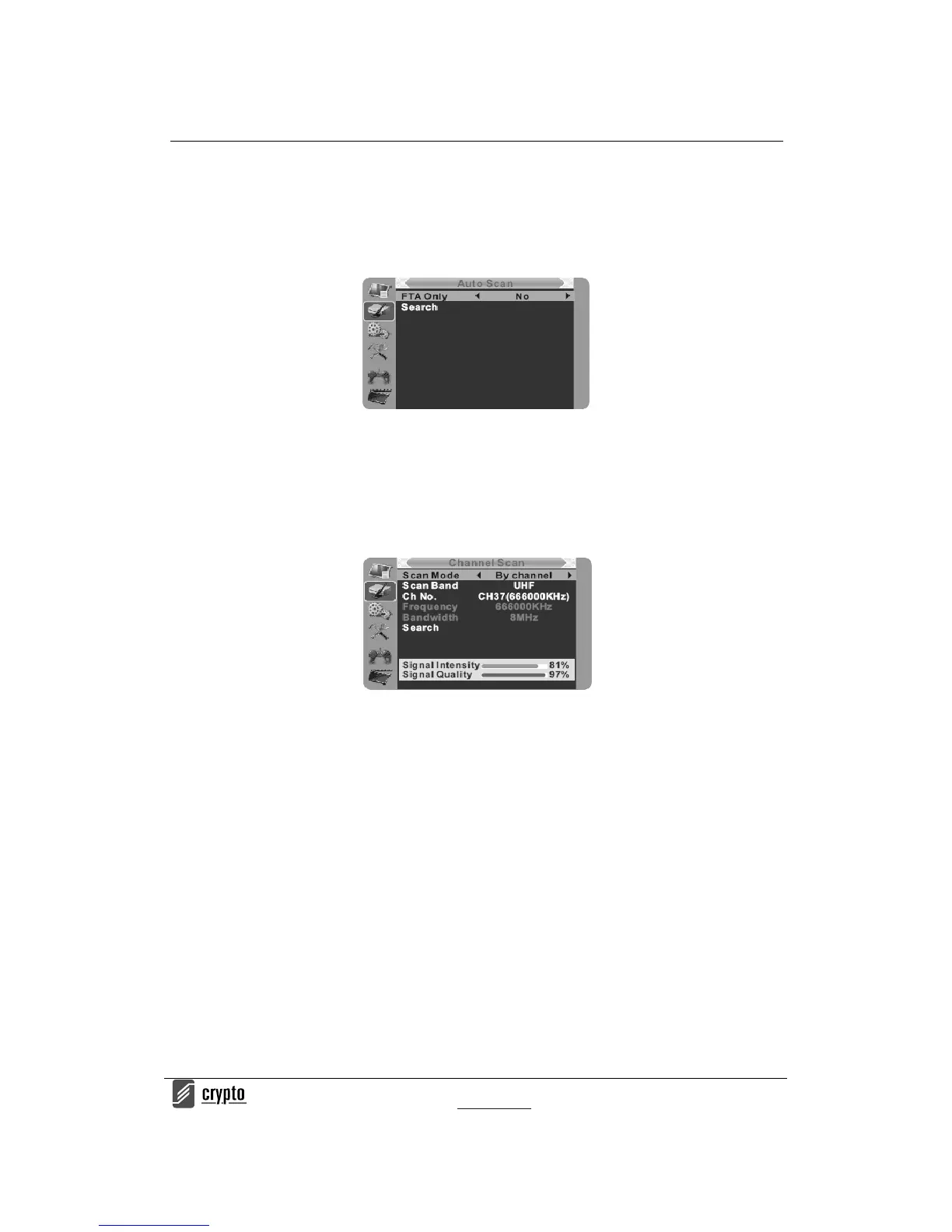
A u t o S c a n
1. Select the "Auto Scan" and press "OK" button to enter the Auto Scan menu.
2. Press the cursor button to set "FTA Only", then highlight "Search" and press the "OK"
button to start the auto scan.
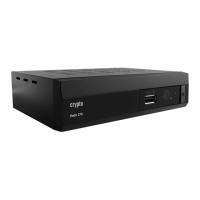
Detailed Scanning
1. Select "Channel Scan", and press the "OK" button to enter the Channel Scan menu.
2. Press cursor button to set Scan mode, Scan Band, Channel No., Frequency and
Bandwidth, then highlight "Search" and press "OK" button to start channel scan .
Channel Scan mode:
-By channel
-By frequency
DEVICE FEATURES
Electronic Program Guide (EPG)
With the DVB-T you can have access to program information any time you want. That feature
is displayed on-screen with functions allowing a viewer to navigate, select, and discover
content by time, title, channel etc. Also you can have access to TV guide of any digital
channel. To use this function simply follow the following:
1. Press "EPG" button to enter EPG menu.
2. Press cursor button to switch between channel list, events schedule of the selected
channel and now/next events.
3. Press "Green" button to start Timer settings.
With this option you can set the device to open or close whenever you want, set a channel as
wake up channel and schedule to record any future broadcast.
4. Press "Red" button to enter the "Step time" menu.
With this option you can find information aboput a program of each channel, based on hours
or days. Eg you can see the the program quide of a channel 2 or 3 days later, etc.


 To Next Page