5. INITIAL START UP OF YOUR UNIT
10
5.2 Start Up Clock Set
essing [+] will increase the time and pressing [-] will decrease
the time.
[-] will decrease the time.
essing [+] will increase the time and pressing
Pressing [OK] saves the selected hour HH and MM.
Pressing [<] skips this menu however you will need to set this later.
Pressing [OK] saves the selected hour HH and MM.
Pressing [<] returns you to the previous menu screen.
START UP CLOCK SET allows you to program the exact time of the day.
5.1 Initial Start Up
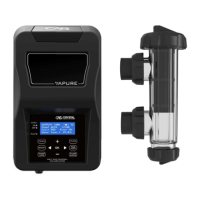
On initial start up of your VAPURE VP-Series Salt Chlorinator the screen
to the right will be displayed.
5.3 Start Up Run Period
1: 2 CYCLES/DAY - unit runs from 6am-10am and 4pm-8pm
Pressing [<] returns you to the previous menu screen.
START UP RUN PERIOD allows you to program your daily run times.
2: 1 CYCLE AM - unit runs from 8am - 4pm
3: 1 CYCLE PM - unit runs from 8pm-4am
Pressing [OK] saves the selected PERIOD
2 CYLCLES/DA
essing [+] or [-] will change the selection.
PERIODS of running.
5.4 Start Up Information
START UP INFORMATION allows you to customise the unit to your pool size.
Holding the [+] or [-] in will change it in 5,000lt increments.
[OK] and set this later or contact your local pool Professional for further assistance.
Pressing [+] or [-] will change it in 1,000lt increments.
A r
w it can be changed.
Pressing [OK
our selection. If you do not know your pool size you can press
Pressing [<] returns you to the previous menu screen.
www.crystalas.com
65a010a5-6d71e2d3-6b3148b4-770d42ea65a010a5-6d71e2d3-6b3148b4-770d42ea65a010a5-6d71e2d3-6b3148b4-770d42ea


 To Next Page