14
Set Up Utilizing Bluetooth App
Advanced Settings
NOTE: Consult your dealer before making any changes. We do not recommend changing Advanced Settings unless
you have a good understanding of the system operation.
From the Advanced Settings, all items in ORANGE with a “set” button can be changed.
For Filters:
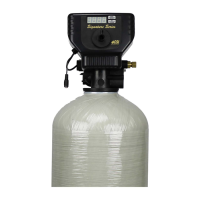
Set Backwash Frequency
This sets the amount of day between backwash cycles
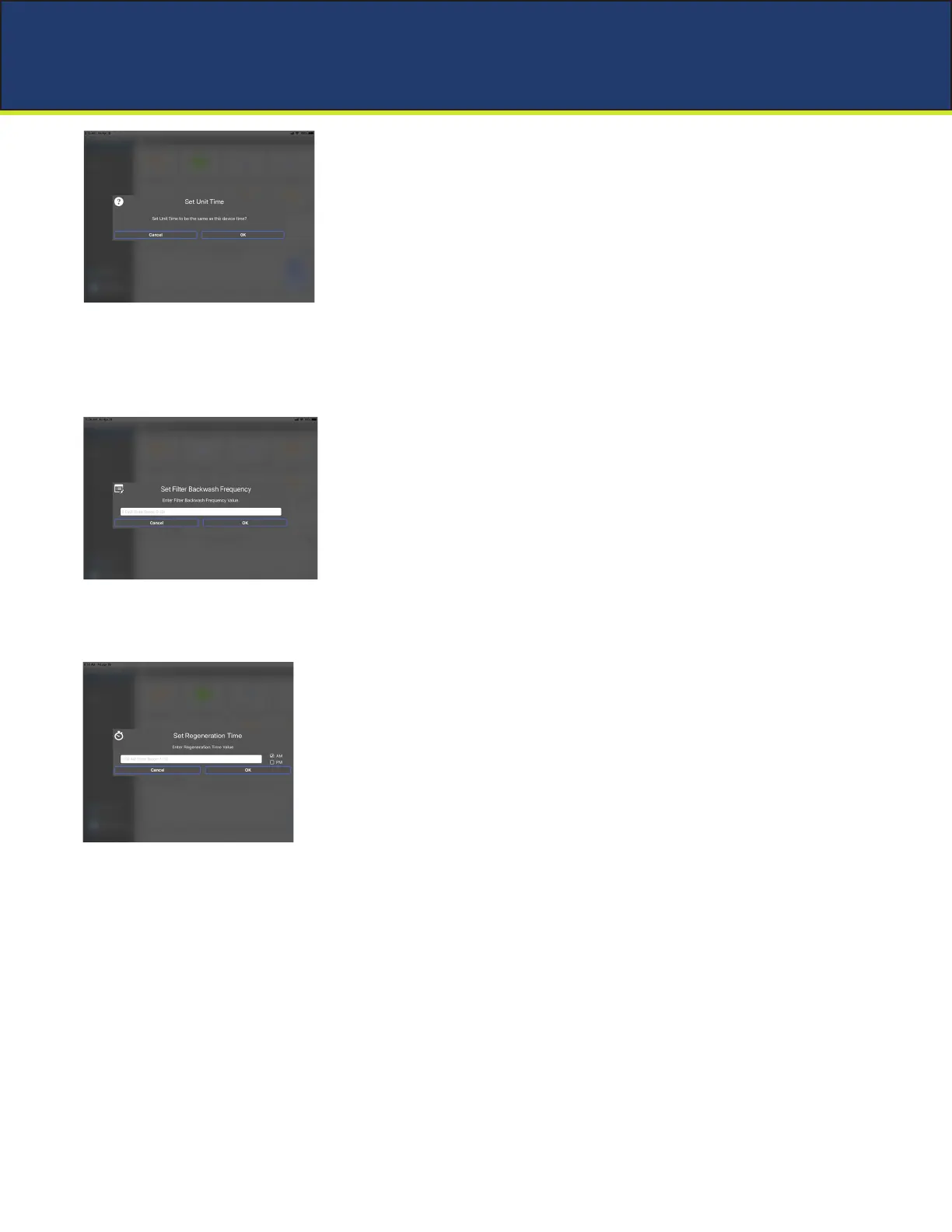
Change Time of Day (Press “SET” to set time automatically based on device).
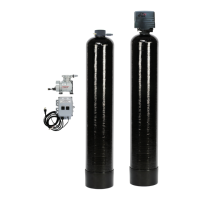
Set Regeneration Time
Example: For 2a.m., just type 2, choose a.m., and press ‘OK’
Note: If you have a lter and a softener the valves should be set to regenerate
at different times. Factory default times are 12a.m. for lters, and 2 a.m.
for softeners.


 To Next Page