10
- Programming The Control Valve -
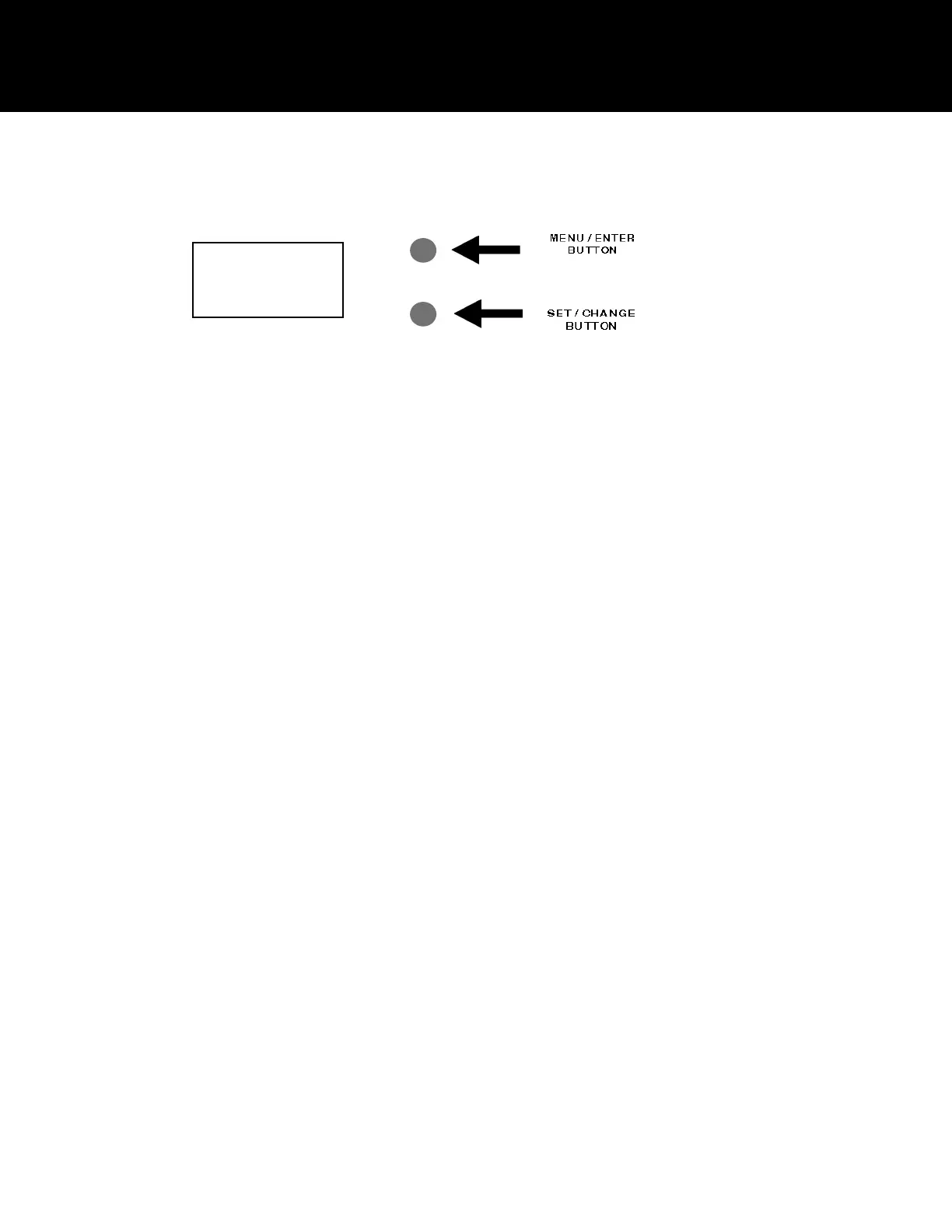
1. To enter Main Menu, press the Menu/Enter button.
(Time of Day will flash)
2. To set the Time of Day, press the Set/Change button.
(First digit will flash) Example [12-00]
- To change digit value, press the Set/Change button.
- To accept the digit value, press the Menu/Enter button.
- Next digit will flash to begin setting.
- Once the last digit display is accepted, all digits will flash.
3. To set A.M. or P.M., press the Menu/Enter button.
- To change digit value, press the Set/Change button. Example [ A ]
- To accept the digit value, press the Menu/Enter button.
- Once A.M. or P.M. is accepted, the next menu item will flash.
4. To set Hardness an “H” will appear to enter Compensated
Hardness in grains per gallon (gpg) Default setting is 25 gpg. Example [ H - 25]
Note: If the water contains iron and / or manganese, multiply the total parts per million (ppm) by “four” (4) and then add to
the grains per gallon (gpg) of hardness. Use this COMPENSATED HARDNESS level when programming the
regeneration frequency.
5. To Exit Main Menu, press the Menu/Enter button.
Note: If no buttons are pressed for 60 seconds, the Main Menu will be exited automatically.
12:00
Programming the Control Valve


 To Next Page