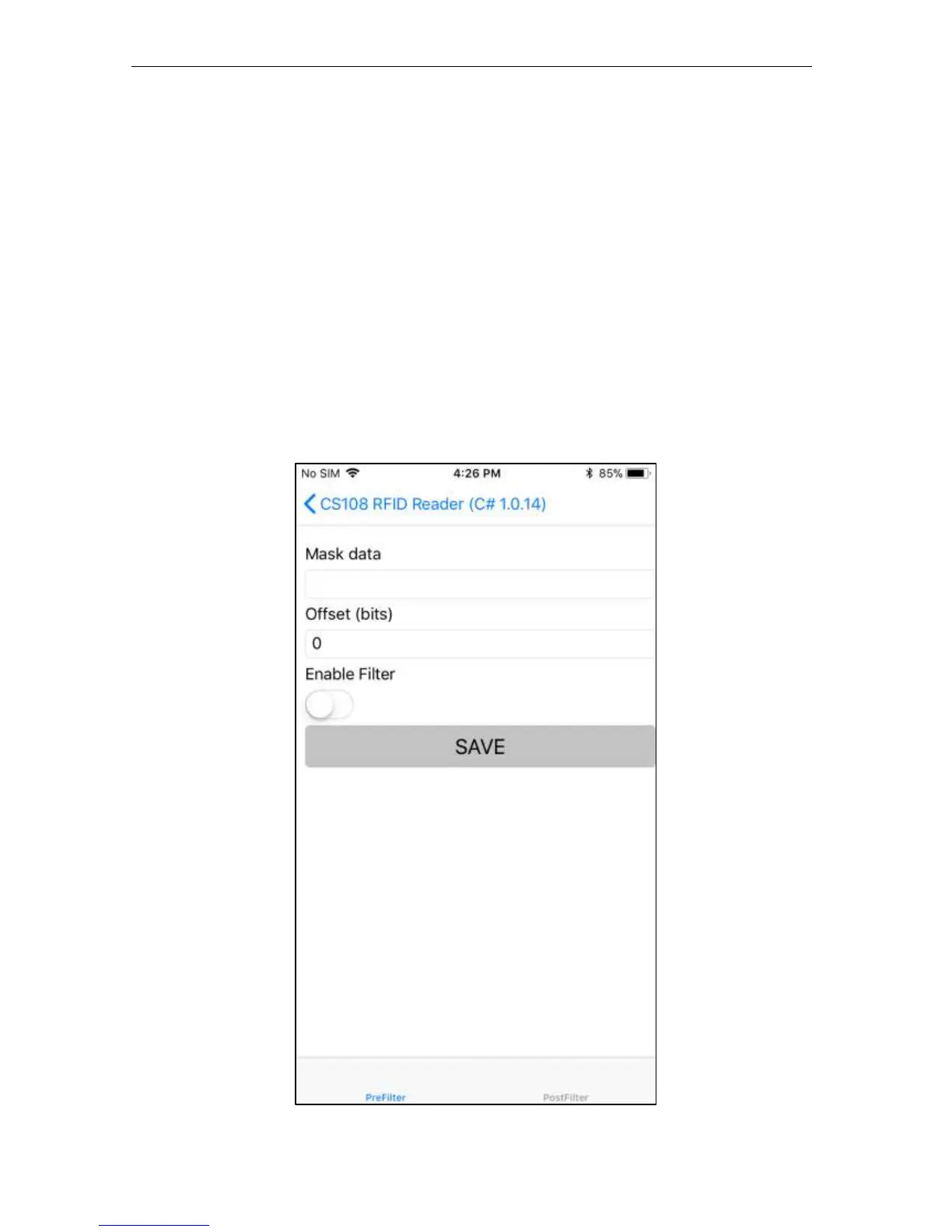
5.1.2.10 RFID Filter: Pre Filter
The RFID Filter function includes 2 types of filter: pre-filter and post-filter. When you enter
the Filter page, on the bottom you can choose to enable either the pre-filter or the post-filter, or
both together.
Pre-filter creates a pre-filter Tag Pattern that will be used to “select” the tags that you want to
display in the Inventory page. The tag pattern can be offset and doesn’t need to be from the
beginning of the EPC bank. The default offset is 0, edit the value in the field. After completing
all fields, set the Enable switch and press the SAVE button.


 To Next Page