4.12 Trigger Button vs Touch Screen Usage
Using a Demo App provided by Convergence Systems Limited, one can start and stop an RFID
inventory or Barcode Reading using either the Start/Stop button inside the CSL Demo App via
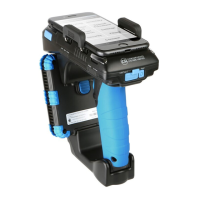
the LCD touch screen of the smart device, or use the Trigger on the sled handle.
In the CSL Demo Apps, pressing the trigger initiates a continuous RFID or Barcode scanning
process. One can then terminate this process upon releasing of the trigger. You need to press the
Trigger and KEEP PRESSING, for the reader to be continuously reading RFID tags or scanning
barcodes, depending which reading mode you are in. The moment you release the trigger, the
RFID inventory or barcode scanning will stop.
If you do not use the Trigger, you can use the Start/Stop button on the CSL Demo App via the
LCD touch screen of your smart device. When you press the Start button, the CSL Demo App
will start continuous RFID inventory or barcode reading. To stop, just press on the Stop button.


 To Next Page