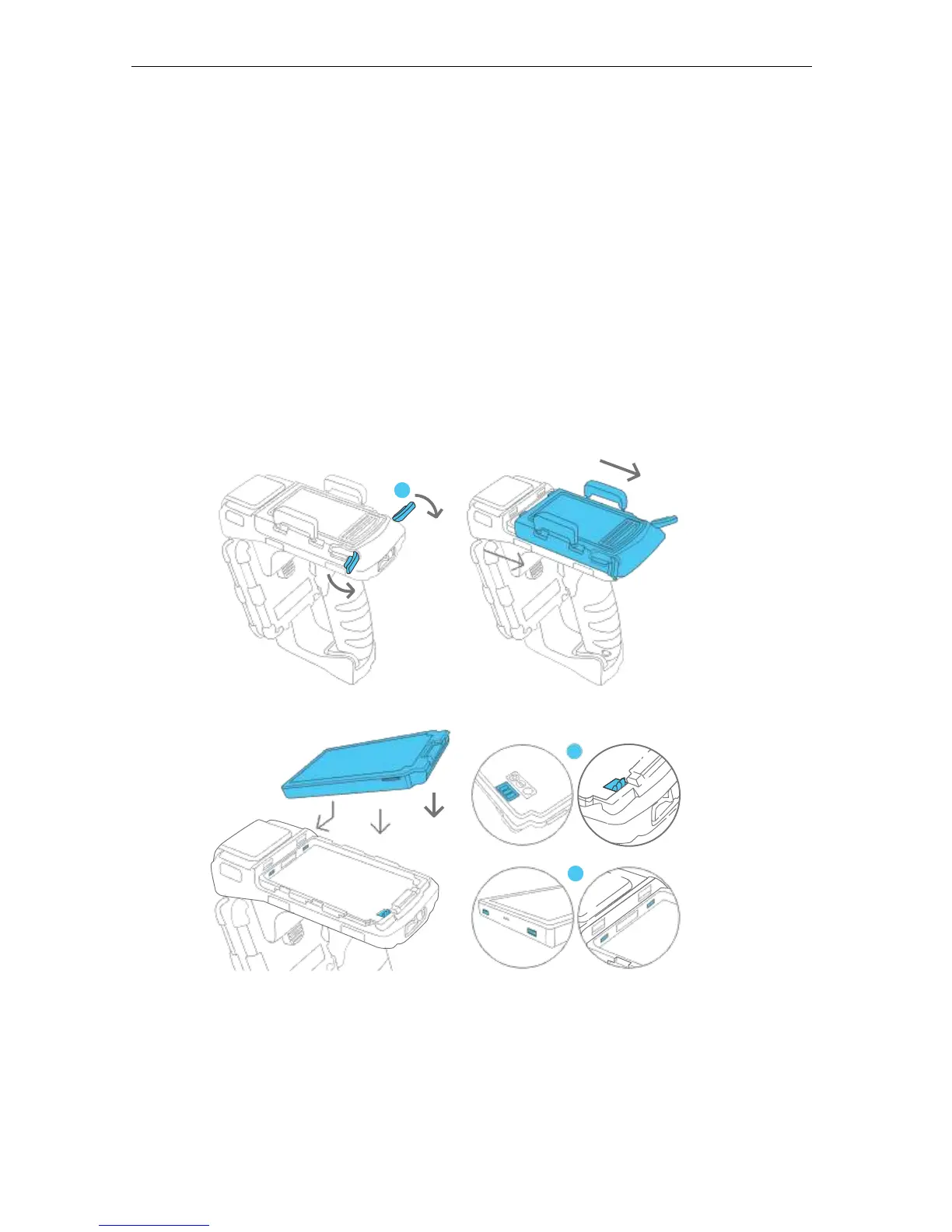
4.5 Installing the battery
To install the battery,
1. Rotate the two silver latches at the back of the top cover.
2. Slide back the cover.
3. Install the battery by inserting the front battery teeth in the corresponding slots at the front
of the battery compartment and aligning the copper connectors at the bottom right section
of the battery with its counter-connectors. Snap it in place making sure it is underneath the
blue locking mechanism.
4. Slide the cover back into place.
5. Rotate the two silver latches until fully closed.


 To Next Page