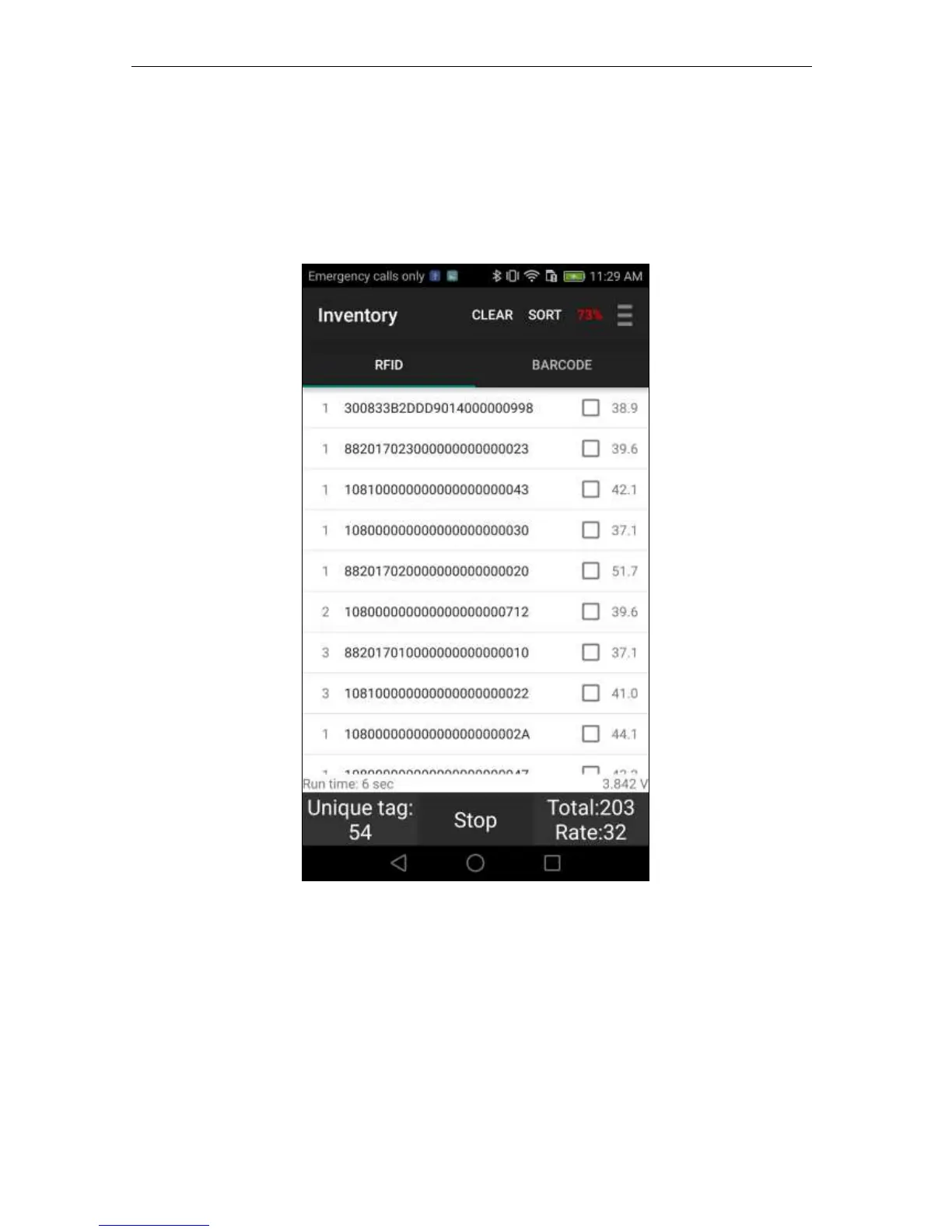
Press the Start button or Press the Trigger to start the inventory and then the ID(s) of the RFID
tags will be listed as shown below. The first column is the number of reads of that tag ID,
second column is the RFID tag EPC ID, the last column is the RSSI of the tag. On the upper
right, you can also see the current battery level in red font.
A high frequency tone will be heard when a new RFID tag is read and a low frequency tone
will be heard when a tag is read again.
A summary of tags read appears at the bottom of the screen: number of Unique Tags, Total
Number of Tags Read, Read Rate, and Run Time.
At any point, if you want to stop reading, just press the Stop button or release the Trigger.


 To Next Page