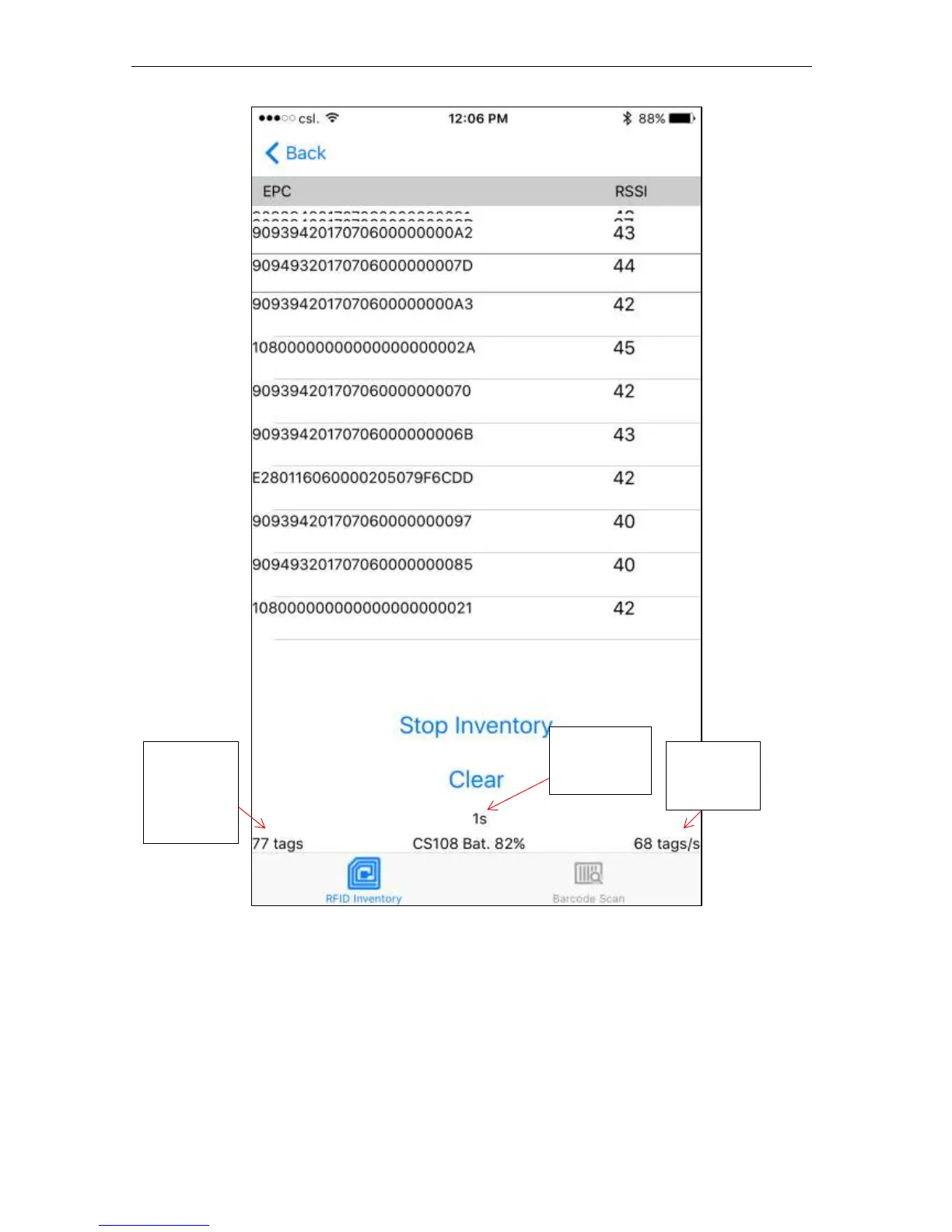
A high frequency tone will be heard when a new RFID tag is read and a low frequency tone
will be heard when a tag is read again. NOTE: Make sure the sound part of the iPhone is not
muted and the volume is not set too low.
A summary of tags read appears at the bottom of the screen: Total Unique Tags, Read Rate, and
Elapse Time.
If you stop inventory and start again, the previous list will remain and new tags are added to it
at the top. If you want to start a new list, then you can press the Clear button to clear the list.


 To Next Page