CANedge2 Docs, Release FW 01.04.02
Bit-rate configuration mode bit_rate_cfg_mode
Configures how the CAN bus bit-rate is set. Modes Auto-detect and Bit-rate support all standard bit-rates.
Non-standard bit-rate configuration can be set using Bit-timing. It is recommended to set the bit-rate
manually if it is known.
type:
integer
default:
0
options: Auto-detect: [0] Bit-rate (simple): [1] Bit-timing
(advanced): [2]
Configuration explained
This section contains additional information and examples.
Bit-rate configuration
The input clock to the CAN-bus controllers is set to 40MHz (480MHz prescaled by 12).
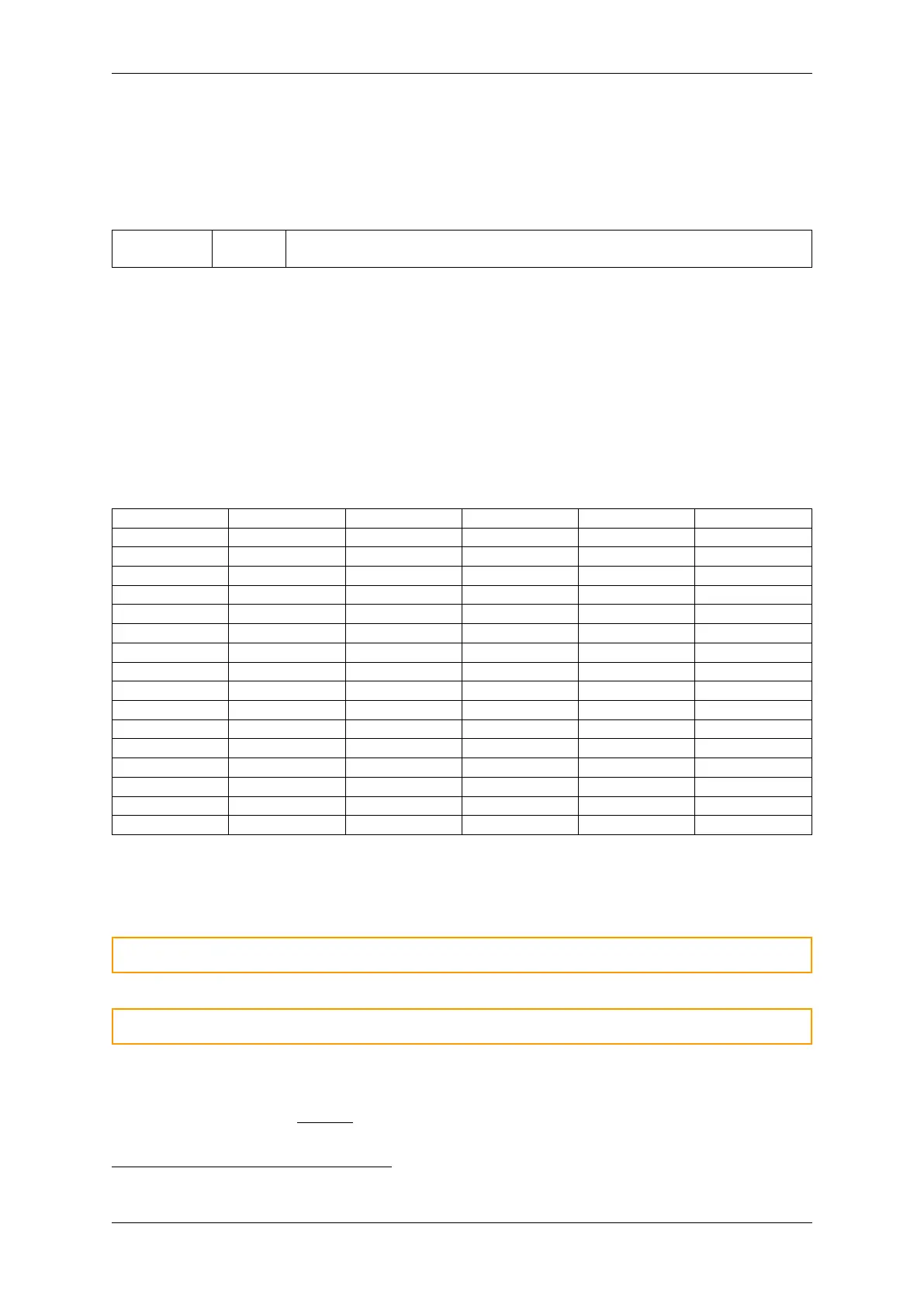
Bit-rate modes Auto-detect and Bit-rate (simple) support the following list of bit-rates
1
:
Bitrate BRP Quanta Seg1 Seg2 SJW
5k 100 80 63 16 4
10k 50 80 63 16 4
20k 25 80 63 16 4
33.333k 10 120 95 24 4
47.619k 8 105 83 21 4
50k 10 80 63 16 4
83.333k 4 120 95 24 4
95.238k 4 105 83 21 4
100k 5 80 63 16 4
125k 4 80 63 16 4
250k 2 80 63 16 4
500k 1 80 63 16 4
800k 1 50 39 10 4
1M 1 40 31 8 4
2M 1 20 15 4 4
4M 1 10 7 2 2
In Auto-detect mode, the device will attempt to determine the bit-rate from the list of detectable bit-
rates. Depending on factors such as data patterns, bit-rate deviation etc. it may not always be possible
to detect the bit-rate automatically.
Warning: It is recommended to set the bit-rate manually when possible
Warning: Bit-rate auto-detect cannot be used to detect a CAN FD switched bit-rate
In mode Bit-timing (advanced), the bit-rate timing can be set directly. The following equations can
be used to calculate the bit-timing fields:
• Input clock: 𝐶𝐿𝐾 =
480000000
12
= 40000000 = 40MHz
• Quanta: 𝑄 = 1 + 𝑆𝐸𝐺
1
+ 𝑆𝐸𝐺
2
1
All bit-rate configurations use a sample point (SP) of 80%
0.4. Configuration 23



 To Next Page