240mm / 9,44inches
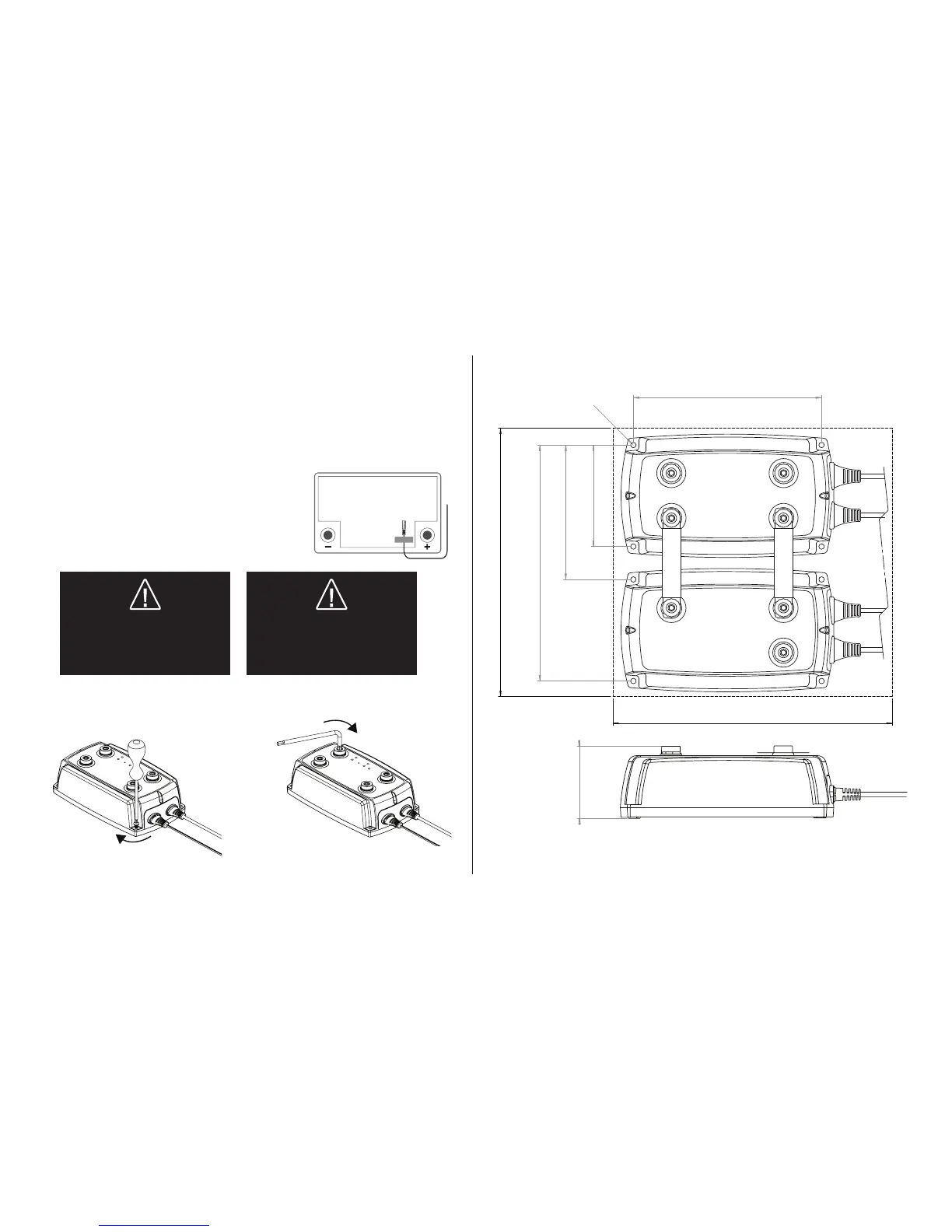
250mm / 9,84inches
90mm/3,57 inches
120mm/4,72 inches
210mm/8,29 inches
Ø4,9 mm
0,19 inches
168mm/6⅝ inches
INSTALLATION
1. Install the apparatus on a smooth surface where it can be fi rmly secured and where it is not
exposed to fuel, oil or dirt. To obtain the correct distance, start by fi tting the two units together with
the accompanying connector plate (see Figure 3) before they are fi nally fastened to the smooth
surface.
2. Secure the apparatus with, for example, M4 or ST4.2 screws at each corner (see Figure 1).
3. Before connecting the cables, ensure that the negative terminal post on the battery is not connected.
4. Connect the cables to the apparatus connections by securing screws (M8) (see Figure 2).
Use an Allen key - tightening by hand without a tool is not enough.
5. Use tape (see Figure 4) to secure the temperature sensor
to a clean fl at surface above the service battery. Position the
sensor as close to the positive terminal post as possible.
6. Connect the battery negative terminal post.
WARNING!
The D250SA and SMARTPASS 120
are not protected against reversed
polarity. Disconnect the battery
terminal posts before installation.
WARNING!
The D250SA and SMARTPASS 120
are not spark-free.
Ensure good ventilation.
Figure 3
8 Nm/71 lb-in
2 Nm/18 lb-in
Allen key
Figure 4



 To Next Page