Instruction Booklet KHEOS PLUS
26 ENGLISH
EN
- Remove the bolt Ø 10 of the filter bracket (Fig. 3).
- Remove the exhausted filter, recovering the fittings.
- Install the new filter controlling the direction of the application (Fig. 4).
- Follow the reverse procedure to close the housing of the station.
- Just after closing all connections you can press “O.k.” to continue the procedure.
- The Station execute in automatic the dehumidification, the leaks control, the recycle of gas in cylinder and finally resets the partial
counter (recovery counter) and the service message. For every possible problem, start up the error message with block operation.
-Necessary time to complete this procedure is 20 minutes.
8.2 Replacement Vacuum pump Oil:
The life of the vacuum pump is monitored by the electronic system in order to always ensure optimal efficiency and a long life in
normal operating conditions. When the service message “Change vacuum pump oil” is displayed, proceed as follows:
When topping up or changing the oil in the vacuum pump, use specific oil for vacuum pumps.
Use specific oil for high-vacuum pumps available through the commercial network of CTR S.R.L
.
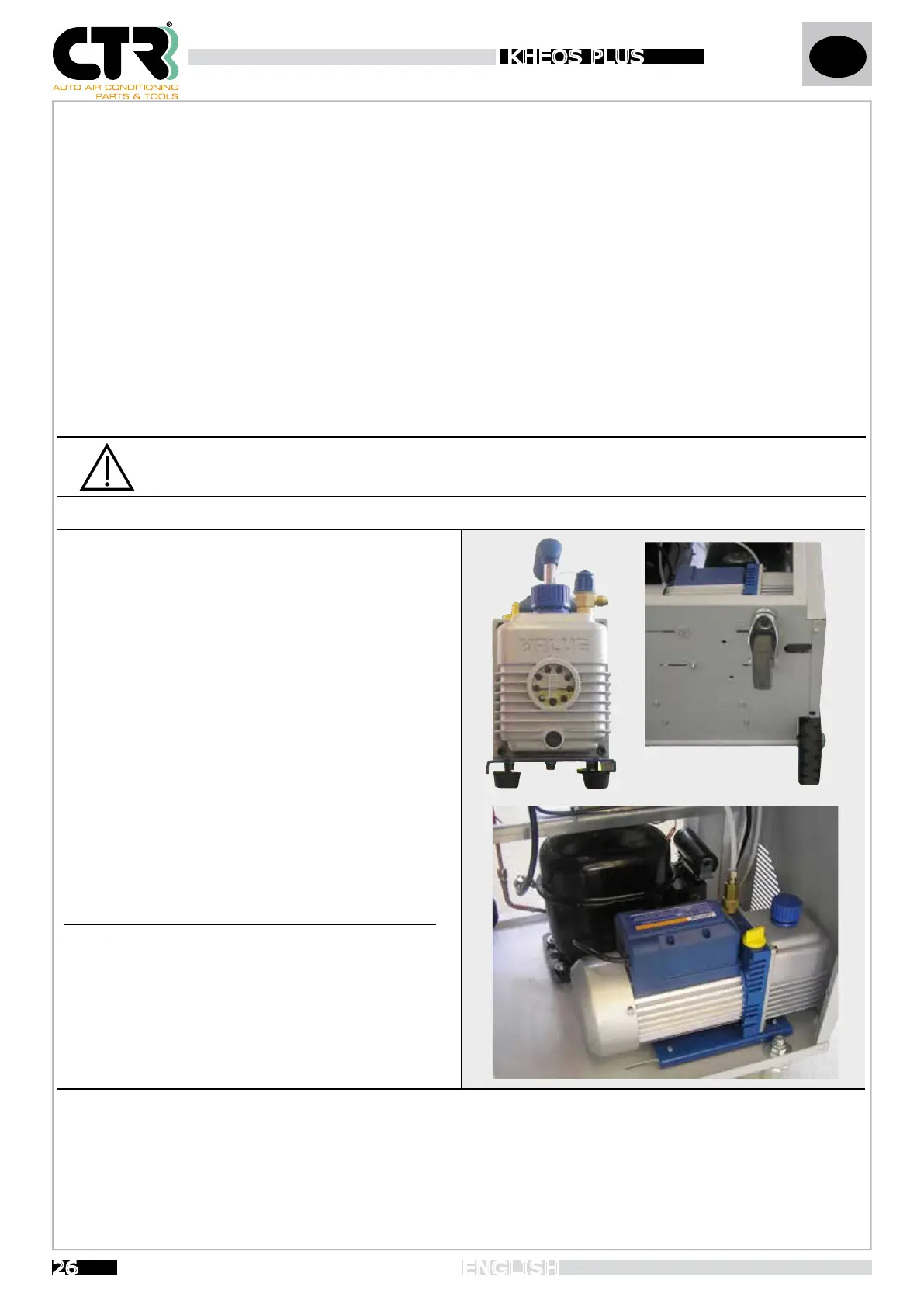
To fill the oil (see figure), unscrew the bleeding cap (A) till to
halfway mark the sightglass (C) when is done screw the blee-
ding cap (A) back on.
To change the oil:
- run the pump for 10 minutes;
- disconnect the unit from power supply;
- loosen the 4 screws from the pump and slide on the rails (D)
- remove the drain plug located in the frontal part of the pump
(B) using the allen key;
wait until all of the oil has drained out; refit the drain plug.
- unscrew the bleeding cap (A) and pour in new oil up to the
halfway mark on the sightglass; screw the bleeding cap (A)
back on.
- repose the pump on his original position and tighten the 4
screws.
When the message “Change pump oil” is displayed, ESC and OK will appear under “Vacuum pump hours” in the SERVICE menu.
After replacing the filter, press OK to reset the partial counter.
E
A
C
D
B


 To Next Page