CUBICON Single Plus User Manual
11
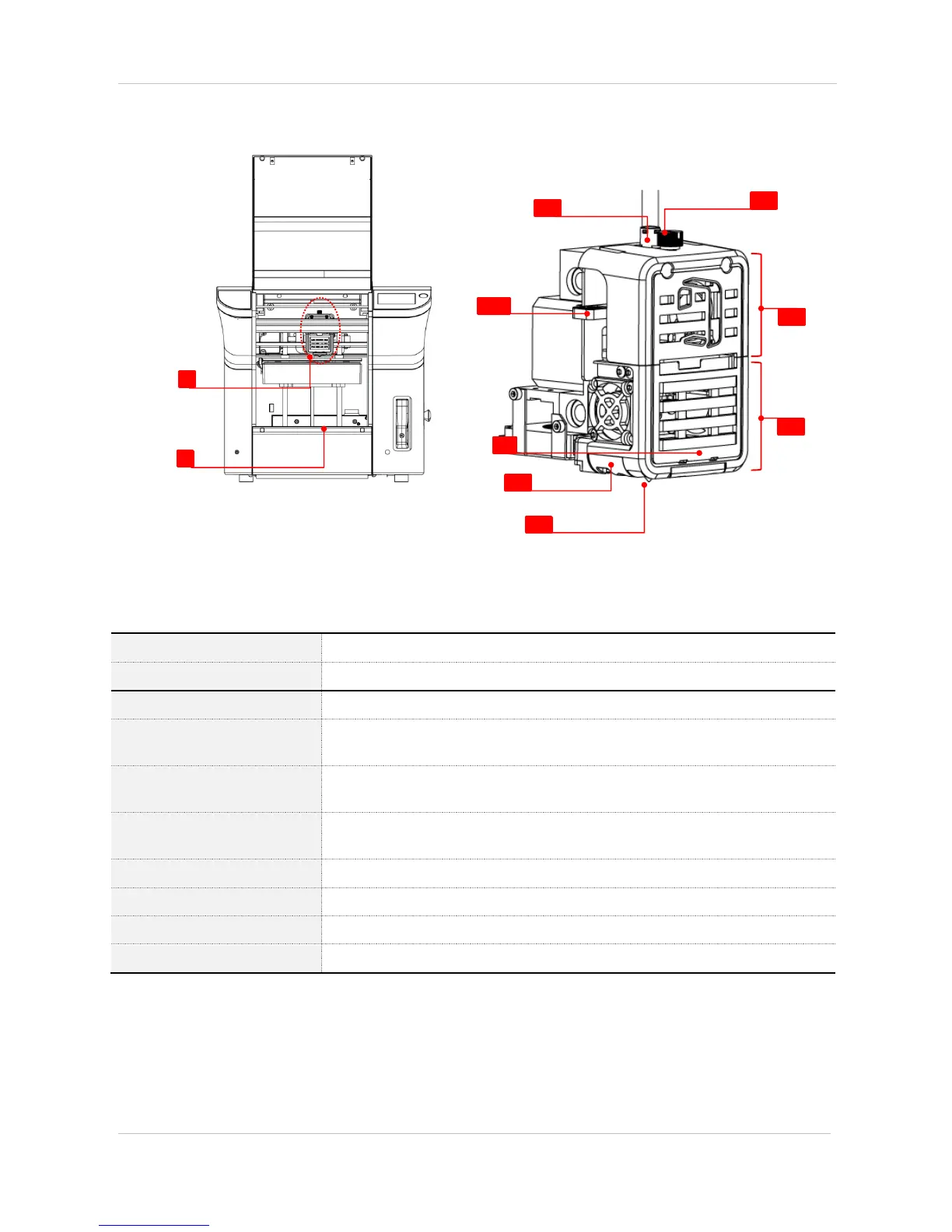
(2) Cubicon single plus extruder
Spills filament and melts it and sends to nozzle
Is printing platform of output in the printing process.
[E1] Filament insert hole
Is the hole which puts filament into extruder. A Teflon tube is placed inside it.
[E2] Filament press handle
Is the handle, which manually takes out filament from inside extruder and is pressed
in the inserting process
Is the white LED to check the model status, and is located in detachable extruder
part.
Is the tool, which blows modeling fan wind to a model side and is located in
detachable extruder part.
Melts and comes out from filament.
Is used for detachable extruder part separation.
[E7]Fixture extruder part
Is fixture part of extruder.
[E8] Detachable extruder part
Is removable part of extruder.


 To Next Page