CUBICON Single Plus User Manual
22
7-3. Filament replacement using ‘Pause’.
The filament replacement can be conducted easily to use by ‘Pause’ function of Cubicon Single Plus. User
can replace the filament in advance, if the remaining filament is not enough. User can also change color by
replacing different colored filament.
(1) ‘Pause’ by user.
Printing is stopped and the extruder moves to parking point, once ‘Pause’ button is pressed. Then installed
filament can be replaced or other work can also be conducted.
Pressing ‘Continue’ button allows restarting printing, once required work is completed.
(2) Pausing due to filament run out.
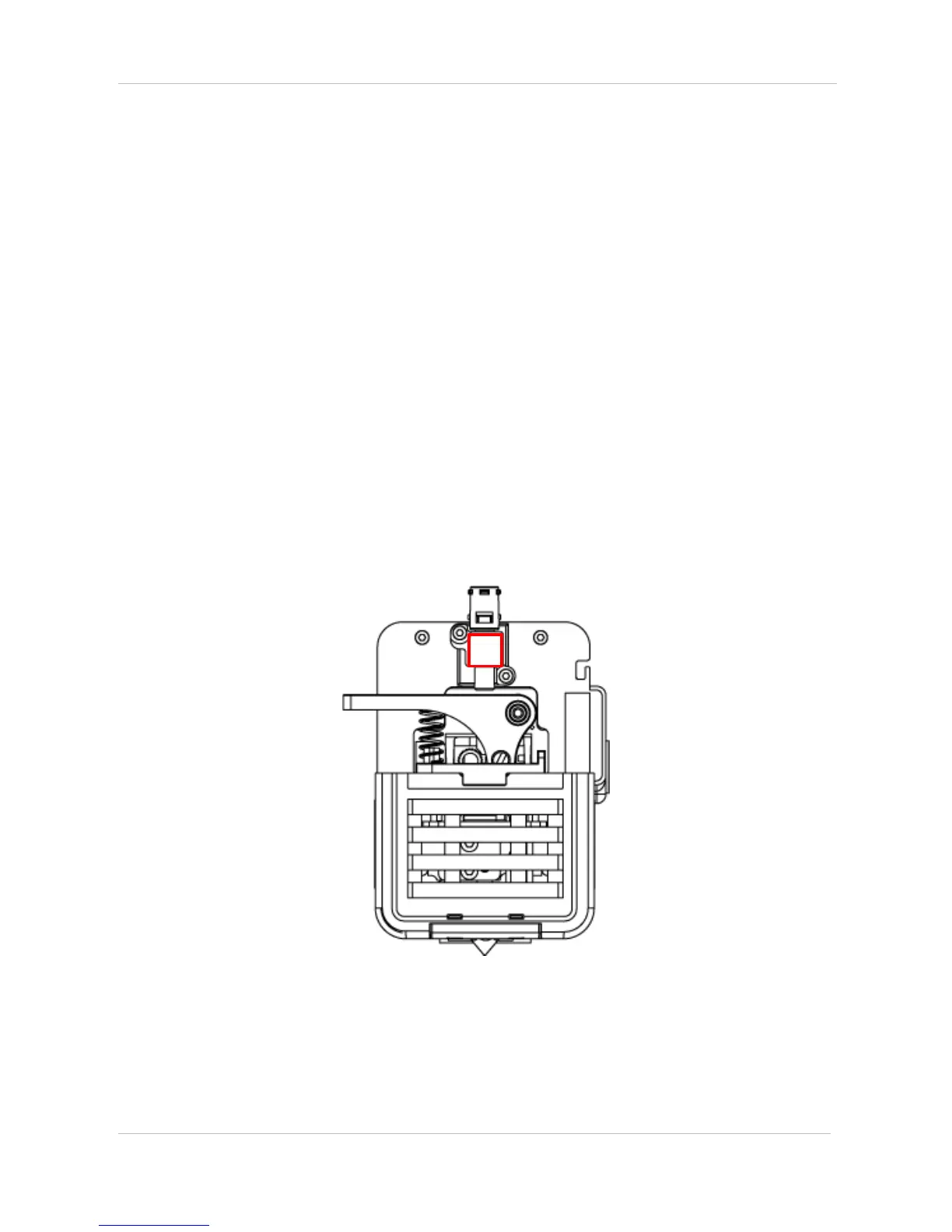
There is a filament detection sensor of Cubicon Single Plus.
The printer automatically goes in ‘Pause’ mode, once sensor, as shown above picture, indicates filament run
out.


 To Next Page