CUBICON Single Plus User Manual
13
* Driving cable of the extruder or a teflon tube is placed near extruder fixture packing material.
Make sure to prevent from pull, breaking, stabbing, press etc. as the extruder connective cable and the Teflon
tube are supply channel for the extruder operation and the filament.
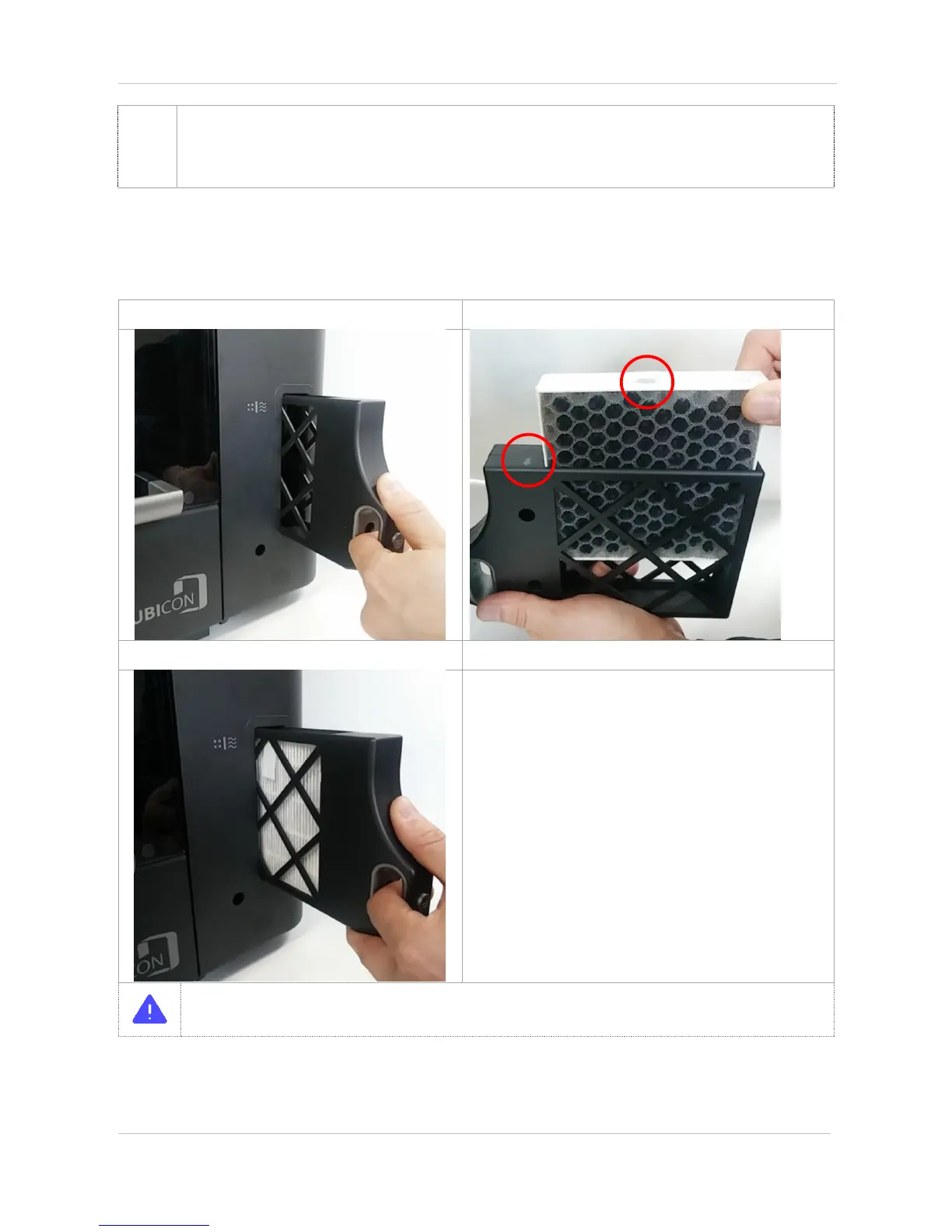
① Pull out a filter from the printer body.
② Put the filter into a case considering their direction.
③ Insert clean filter case into the printer body.
* Make sure to insert the clean filter into the printer body in normal direction.
* In the case of wrong inserting direction, the filter funtion decreases and it may cause a ventilation fan
malfunction.


 To Next Page