EasyManua.ls Logo

Cubicon Single Plus - Firmware Update

Cubicon Single Plus
60 pages
Print Icon
To Next Page IconTo Next Page
To Previous Page IconTo Previous Page
Loading...
CUBICON Single Plus User Manual
53
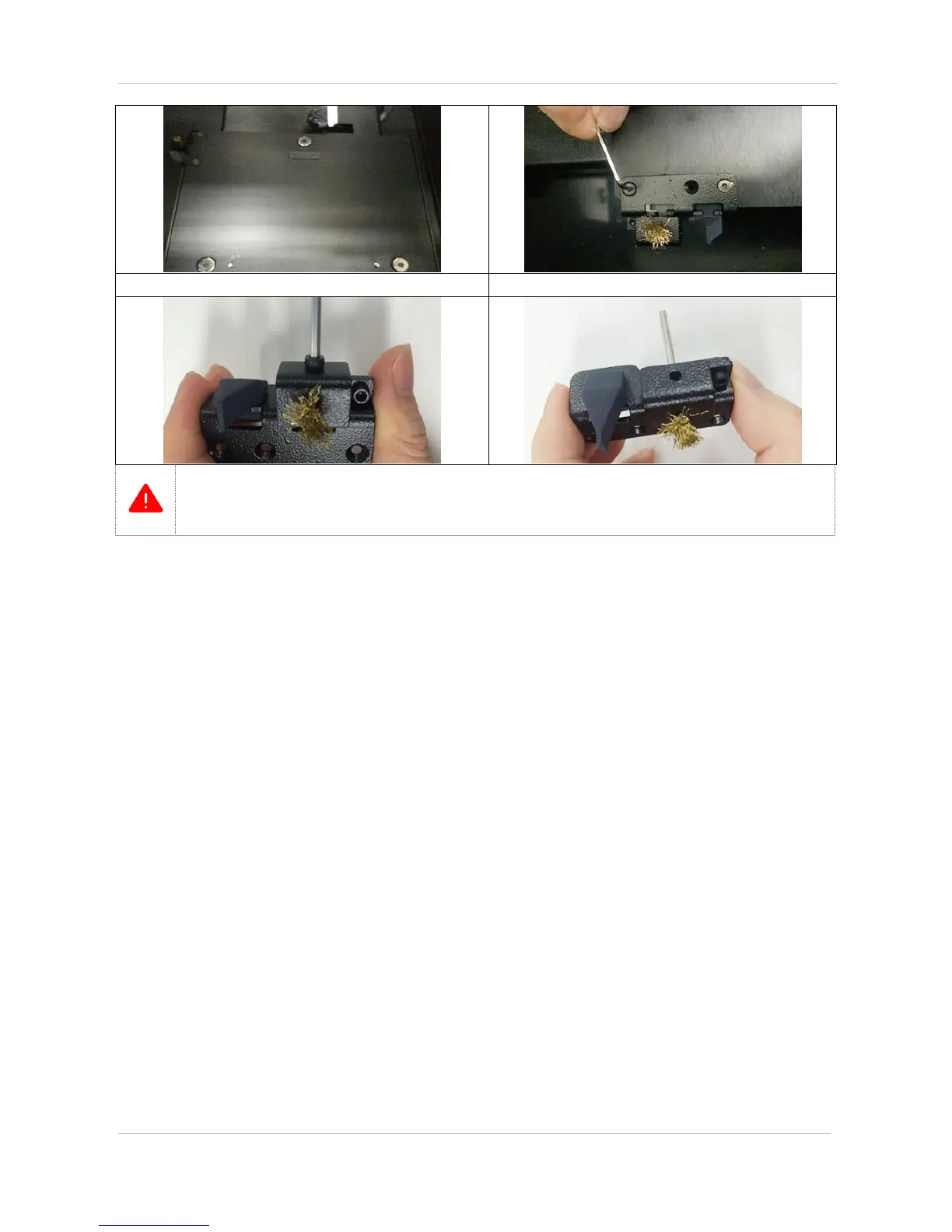
Untie in 2.5Ø wrench counterclockwise direction.
Replace a brush in complete separated condition.
* Make sure that bed temperature is cooled off and its power is OFF in prior to proceed work.
* Make sure to wear gloves in separation/installation process to prevent hand injury as the bed is fixed with
extreme magnet force.
* Assembly is the vice versa of separation.
11-7. Firmware update
User can download the firmware from Cubicon homepage and install new version of the firmware.
(1) Firmware installation by cubicreator
Setting Install new version of the firmware after selecting updated firmware and a file to install. (Refer to
the cubicreator manual for detailed information.)

Related product manuals