CUBICON Single Plus User Manual
54
(2) Firmware installation through USB memory
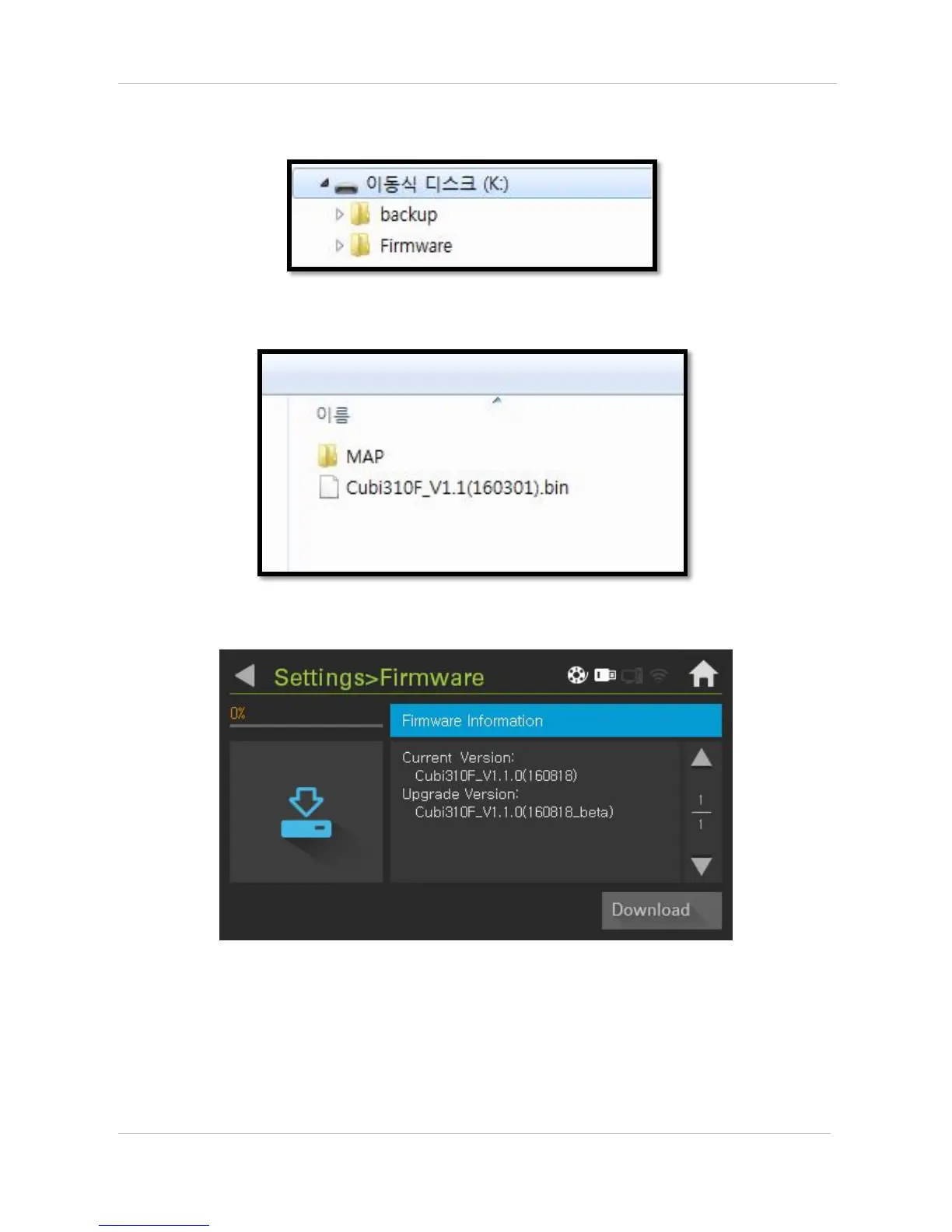
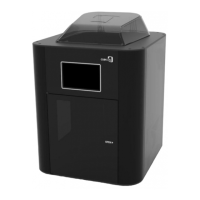
Create ‘Firmware’ folder in ‘Root’ folder of USB memory.
Copy UI file and new version of firmware into ‘Firmware’ folder.
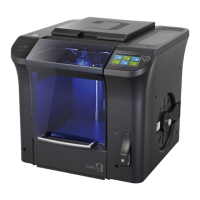
Select firmware icon of ‘Setting’ after inserting USB memory to Cubicon single plus. Firmware update starts,
once ‘Download’ button is selected. Make sure to initialize after firmware update completion-rebooting.
Initialize process takes no more than 1 minute.


 To Next Page