CUBICON Single Plus User Manual
10
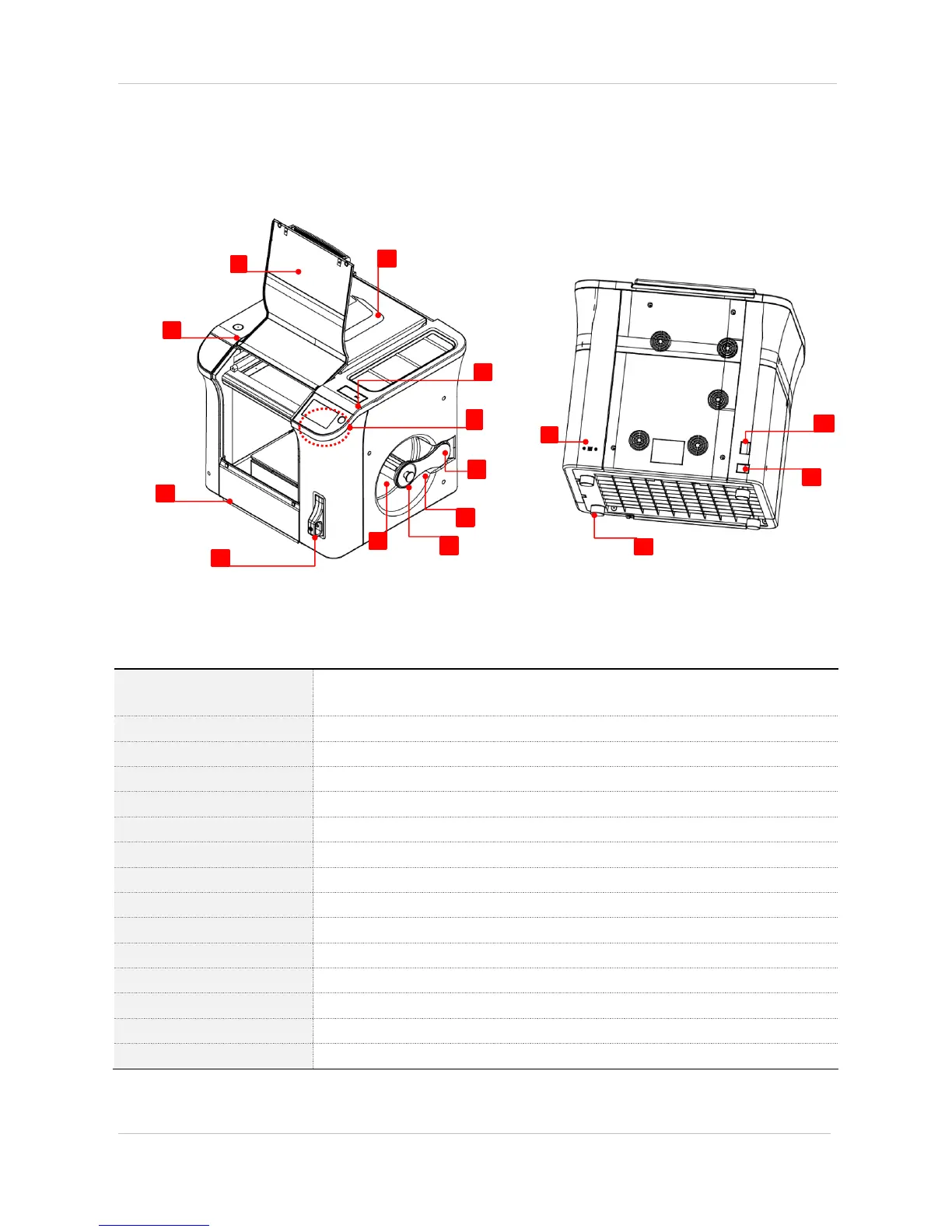
4-2. Product parts name
(1) Cubicon single plus body
Is used for filament replacement, detachable extruder separation and
maintenance/repair.
Is used to pull out the model part
Is used for horizontality inspection in the printer installation process
Is used for floor cleaning
Is input to clean filter.
[6] USB memory insert hole
Is inserted to USB memory.
Is used for urgent stop of touch LCD and printer.
Is used to supply filament.
Is used for filament spool fixation
Is used to lock the spool door (make sure to lock the door after spool installation)
Is filament spool installation place
Is the input socket (Type-B) for PC and USB connective cable
Is the main power switch of the printer
Is the connective socket of printer power.
Is used to prevent the printer sliding(four spot on a floor)


 To Next Page