CUBICON Single Plus User Manual
17
Make sure not to press Reset button accidentally in printing process or do not put any object near
Reset button as it may cause the printer reset pressing Reset button.
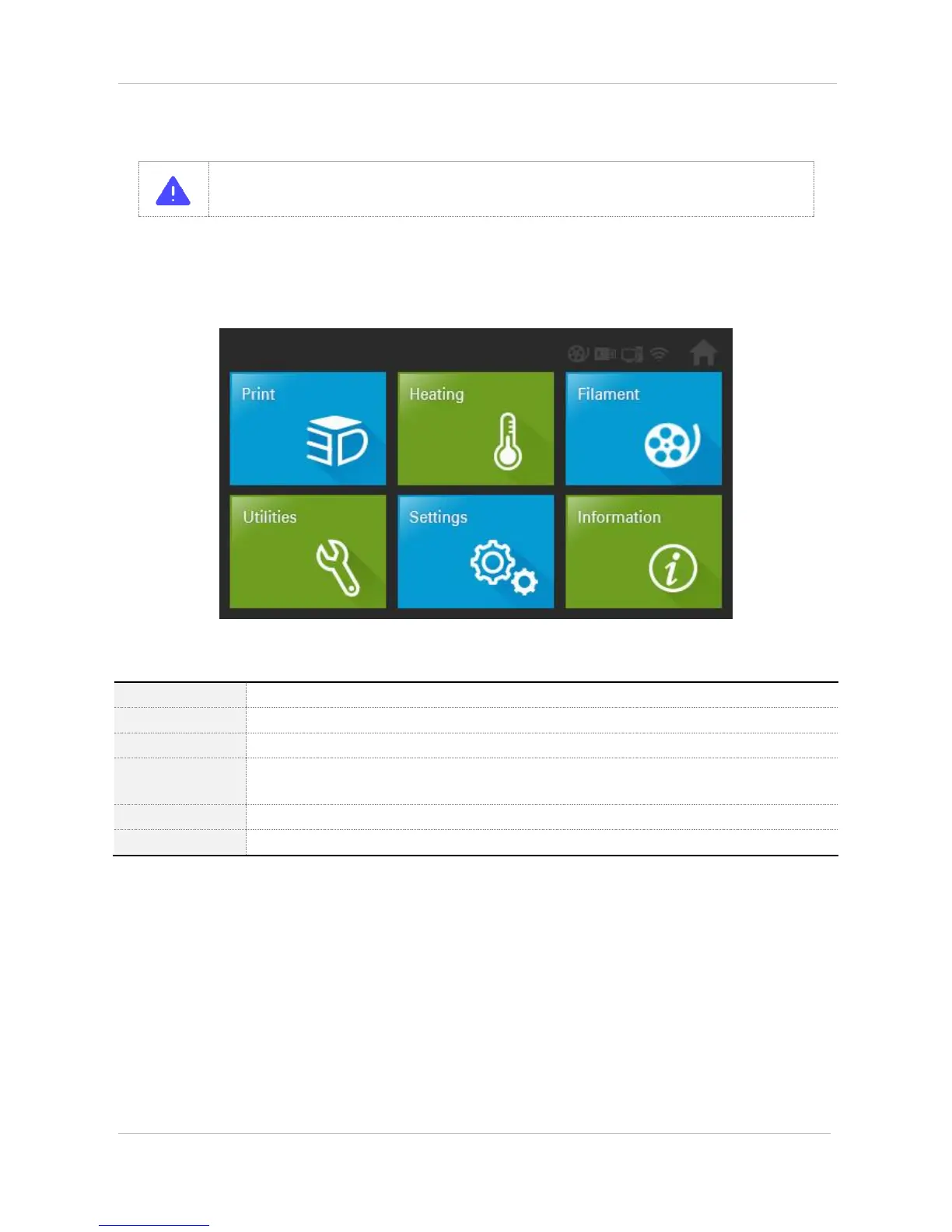
‘Print’ menu is used for printing the saved file of inside the printer or the saved file of USB memory.
‘Heating’ menu is used for warm-up by nozzle/bed material.
‘Filament’ menu is used for the filament loading/unloading.
‘Utilities’ menu is used for G-code copy/delete and the extruder movement, self-diagnosis, auto
level etc.
‘Setting’ menu is used for amendment and firmware update matching to CUBICON Single Plus
‘Information’ menu indicates the printer information and time, inside memory capacity.


 To Next Page