CUBICON Single Plus User Manual
26
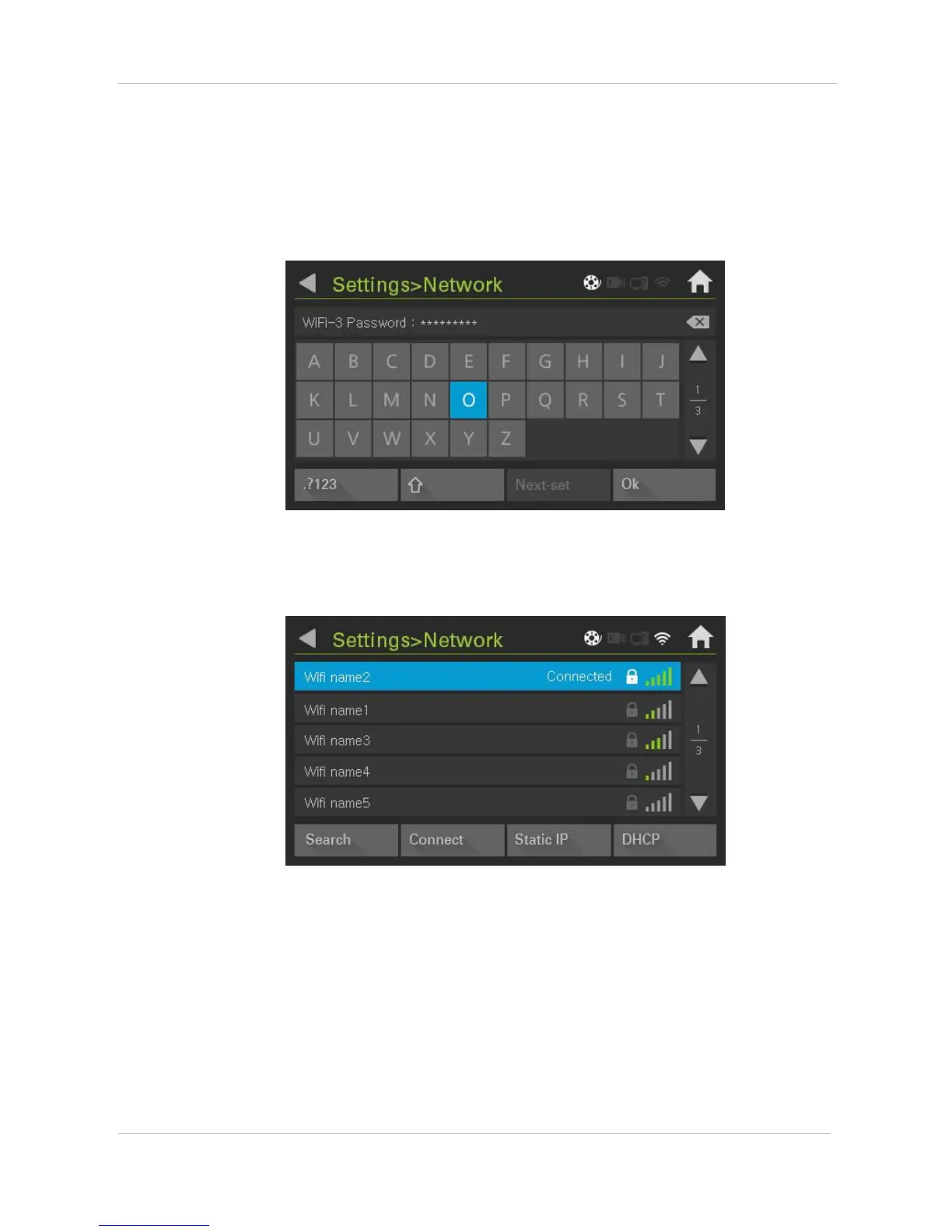
Select one between Static IP and DHCP, press search, and search for available WIFI. Once you find
available WIFI, select it.
(1) DHCP connection
Press ‘OK’ and start connection, once you finish inputting password.
‘Connected’ indication will activate, once connection is completed and Network Setting of Cubicon
single plus is completed.


 To Next Page