Wired Touch Panels - User Manual
20© CUE, a.s. | All Rights Reserved.
user applICatIon doWnload
Overview
User control application is dedicated to control and it is programmed by Cue Visual Composer programming tools.
Using Cue Visual Composer
Steps are
1. Connect touch panel to your computer as described in chapter PC Connection.
2. Run Cue Visual Composer on your PC.
3. Open appropriate project in Cue Visual Composer. It’s necessary to have appropriated touch panel properly inserted
and configured.
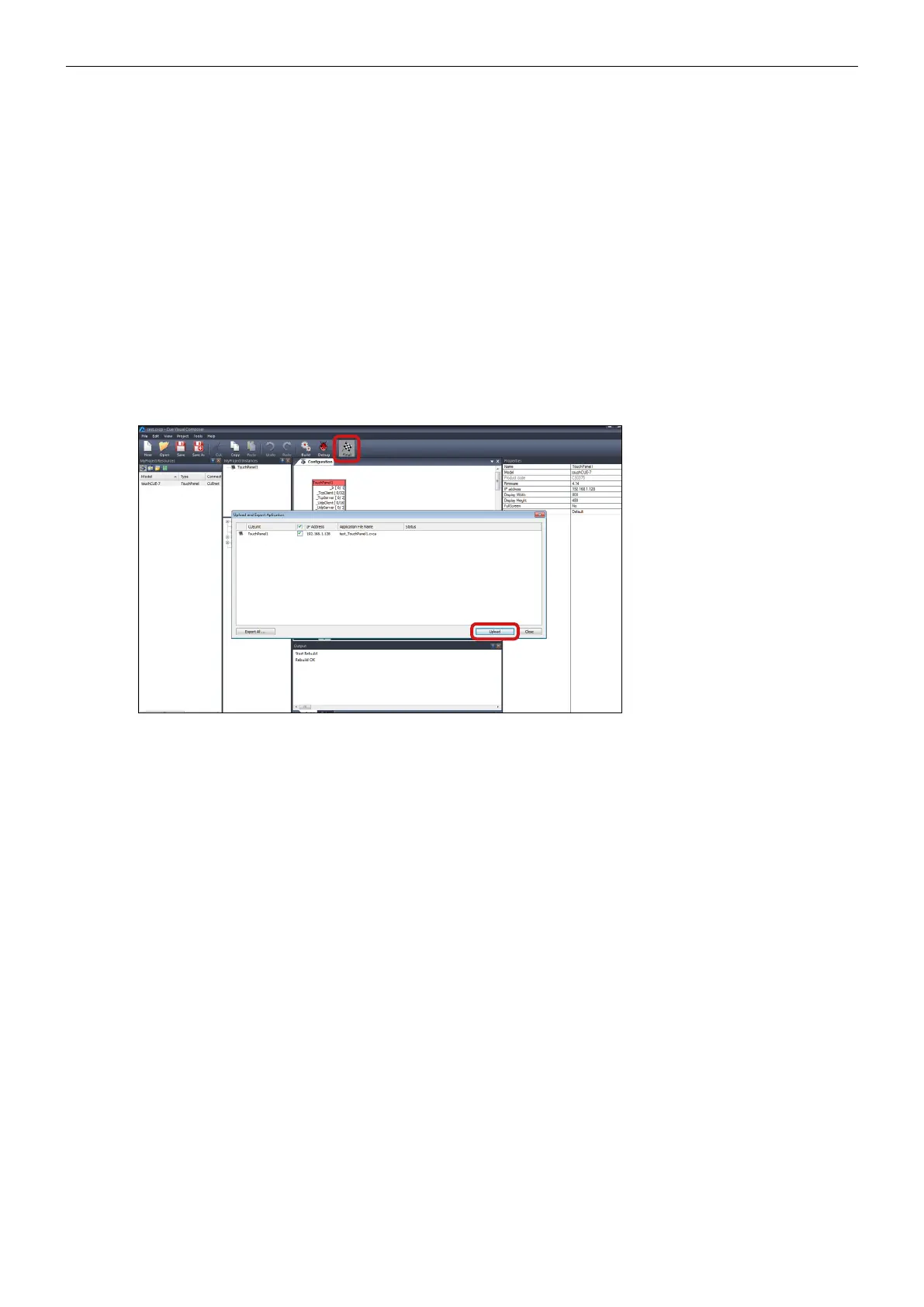
4. Use tool bar button Final to open Upload and Export Application dialog box.
5. Be sure your touch panel is checked.
6. Use button Upload to start application upload.
7. If touch panel firmware isn’t actual it will be uploaded automatically first and then application upload will be finished.



 To Next Page