Wired Touch Panels - User Manual
25© CUE, a.s. | All Rights Reserved.
adMIn WeB
Access Admin Web
Run the Internet browser on your PC and type in the touch
panel IP address.
Run the Internet browser on your PC and type in the touch
panel IP address.
IP address is obtained from DHCP server by (factory)
default or it is 192.168.1.128, if DHCP is not available on
the network. The default password is empty.
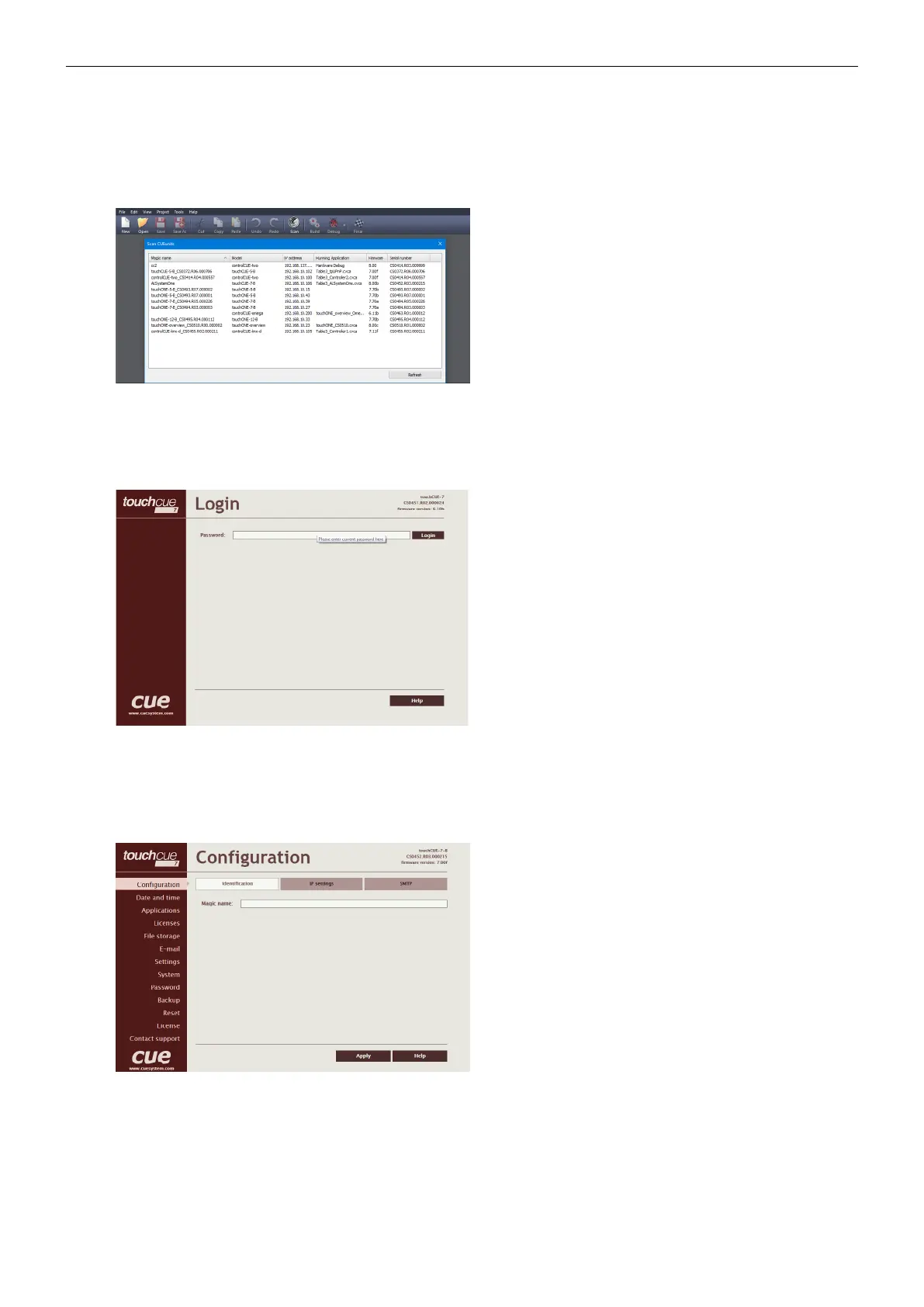
You can find CUEunits and their IP addresses on the network
with Cue Visual Composer / Tools / Scan CUEunits... You
can open Internet browser with admin web of given unit by
doubleclick on the line with this unit.
Login
This screen isn’t displayed if password is empty (factory
default status).
If password isn’t empty, you have to login at first for
operating with your CUEunit via these web pages.
Enter your password into the Password box and click the
Login button to enter the CUEunit web pages.
Remember that the password is case sensitive. For changing
your password use the Password menu after you are logged
in.
Configuration
Identication
Every CUEunit can be identified by a unique Magic name.
Magic names are most useful in applications requiring more
than one CUEunit or when CUEunit obtain IP address from
DHCP server. This enables programmers and installers to
reference CUEunits with logical, user friendly names, like
“boardroom,” “lobby,” etc.
To set the CUEunit identity, enter the unique name you wish
to use in the Magic name box.
Be sure to click the Apply button for any changes to
become effective!



 To Next Page