Wired Touch Panels - User Manual
24© CUE, a.s. | All Rights Reserved.
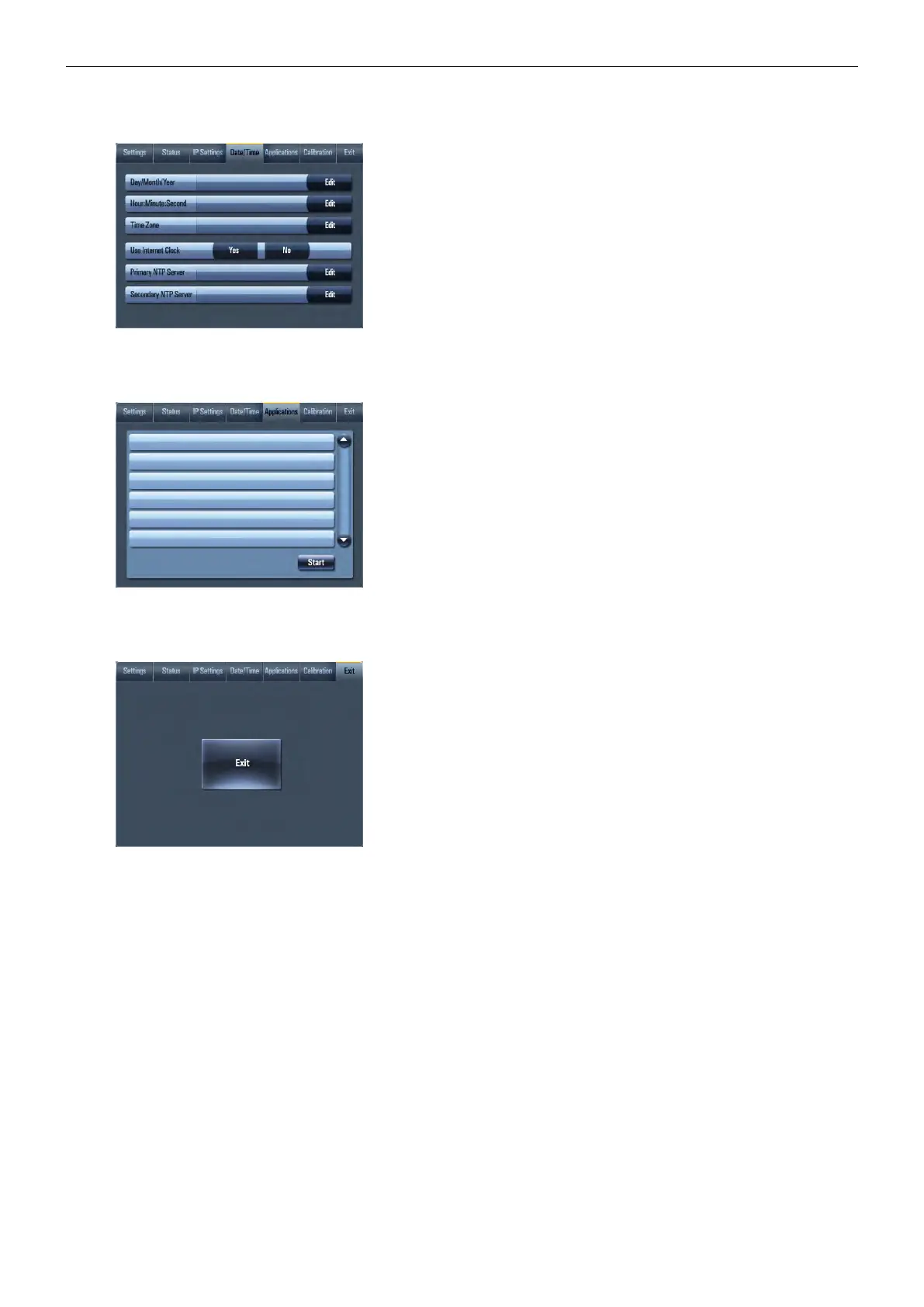
Date/Time
19/04/2011
17:01:25
GMT+01:00 CET/CEST
This page is used for setting Date/Time parameters.
The current date and time can be set. For setting please select appropriate
field using Edit button and then use numeric keypad.
The time zone box can be selected to enter from the list activated by button
Edit.
Rest of the page is used for synchronization of the CUEunit’s date and time
with an internet clock. Select Yes for Use Internet clock. Next, enter the IP
addresses (or complete address name) of the primary and secondary NTP
servers.
Applications
TestApp_TouchPanel1.cvca
DemoApp_TouchPanel1.cvca
This screen is used for selection, start and stop of uploaded applications.
All uploaded applications are listed on this page.
Select application and press button Start. A “running flag” denotes the
active application. Active application starts automatically after switch on
the unit. The running application can be stopped via the Stop button.
Files are uploaded from a personal computer to the touch panel using Cue
Visual Composer software or using Admin Web.
Exit
touchCUE-7 CS0451.R01.000001
6.10h (Jul 30, 2015)
Closes the On Screen Display.
On this page the product name, product code and current firmware
version are displayed.



 To Next Page