Wired Touch Panels - User Manual
28© CUE, a.s. | All Rights Reserved.
Applications
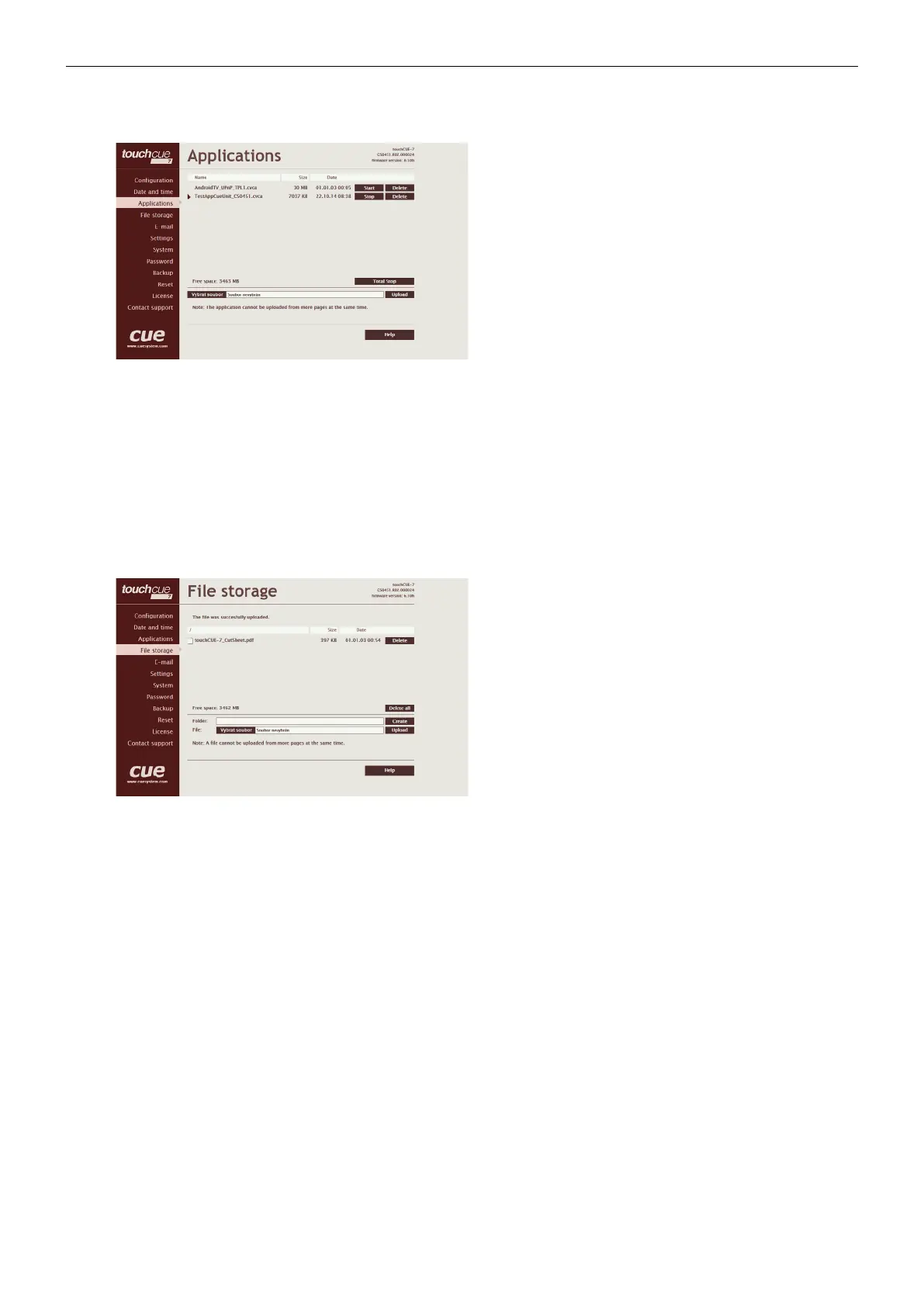
This page is used for uploading compiled Cue Visual
Composer programs to your CUEunit.
All uploaded applications are listed on this page, along
with their file properties: file name/file size/date. The
CUEunit has a generous memory; unused free space is
shown at the bottom of this page. CUEunit also permits
other service functions like deleting files, downloading
programs back to a personal computer, and starting/
stopping specific applications.
A “running flag” denotes the active application. The running
application can be stopped via the Start/Stop button.
Likewise, a stopped application can be restarted with the
Start/Stop button.
Files are uploaded from a personal computer to the
CUEunit by selecting the desired application program, and
clicking the Upload button. Files are downloaded from the
CUEunit to a personal computer by clicking the File name.
Files are easily deleted with the Delete button. The button
Total stop stops a running application. This application will
not be automatically started after reset.
File Storage
The CUEunit’s generous memory can be used as an
auxiliary file storage device. This is helpful for storing
presets, in archiving electronic manuals, pdf files, and other
support documentation. File storage is managed via the file
storage page.
A list of existing files, folders, and their properties is shown.
To delete a file or a folder, click the Delete button on the
corresponding line. To delete all files and folders from the
current folder, click the Delete All button.
To create a new folder, enter a name for the new folder,
and click the Create button. To upload a file, select the
desired file, and click the Upload button.
Note: Files are automatically compressed for the
CUEunit’s internal file system. Accordingly, the size of
your uncompressed file before storing may not match the
decrease of free space shown on the CUEunit.



 To Next Page