Wired Touch Panels - User Manual
27© CUE, a.s. | All Rights Reserved.
Date and Time
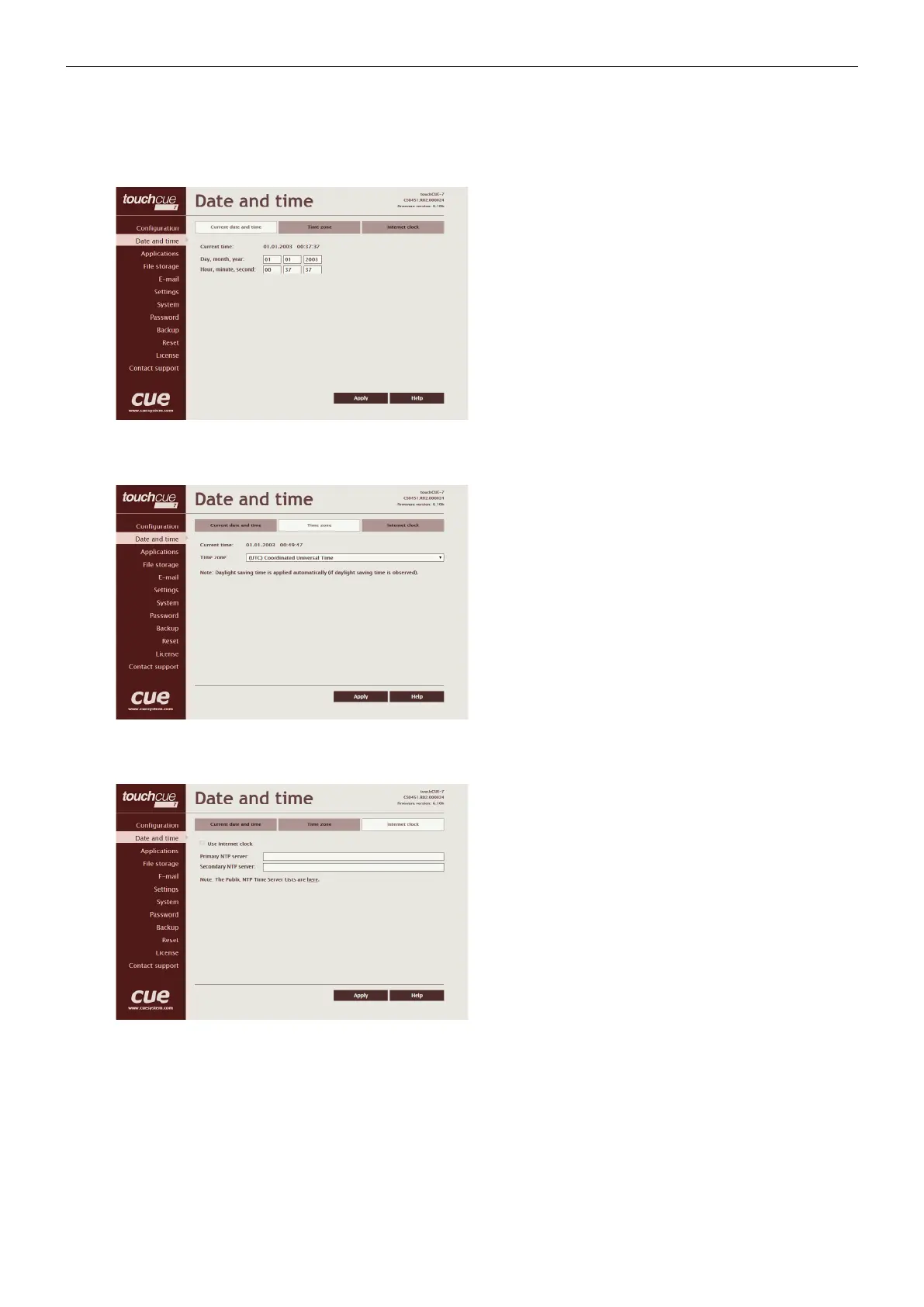
Current date and time
This page is used for setting the time clock on your CUEunit.
The current date, time, and time zone are shown on the
Current time line.
The applicable boxes can be selected to enter changes to the
• date: day/month/year,
• time: hour/minute/second.
Be sure to click the Apply button for any changes to
become effective!
Time zone
This page is used for setting the time zone on your CUEunit.
The current date, time, and time zone, are shown on the
Current time line. The time zone box can be selected to
enter changes to the Time zone.
Be sure to click the Apply button for any changes to
become effective!
Internet clock
This page is used for synchronization of the CUEunit’s date
and time with an internet clock. Begin by selecting the check
box for Use Internet clock. Next, enter the IP addresses (or
complete address name) of the primary and secondary
NTP servers. Use the Primary NTP server and Secondary
NTP server boxes for this purpose.
Be sure to click the Apply button for any changes to the
internet clock to become effective!



 To Next Page