EasyManua.ls Logo

Culligan GOLD SERIES - User Manual

Culligan GOLD SERIES
73 pages
Print Icon
To Next Page IconTo Next Page
Loading...
Cat. No. 01018853
Rev. C 08/20/07
DCO # 10083
Installation,
Operation &
Service Instructions
with Parts List
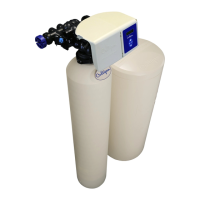
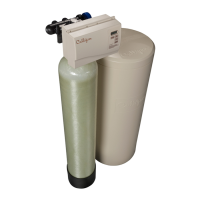
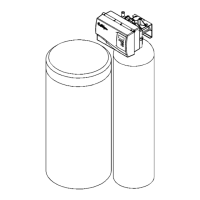
Culligan Gold Series
Water Softener
Models from 2006
© 2007 Culligan International Company

Other manuals for Culligan GOLD SERIES

Questions and Answers

  • A
    Amy ObrienJul 26, 2025
    How to fix loss of water pressure in my Culligan GOLD Water Dispenser?
    • D
      Daniel HuffJul 26, 2025
      A loss of water pressure in your Culligan Water Dispenser can be caused by a few issues. The control and/or resin bed may be plugged with debris or iron build-up; clean the control and increase the frequency of regenerations or length of backwash, and plant recondition if necessary. Alternatively, the inlet manifold could be plugged; remove the control from the tank and clean the inlet manifold, also checking if the eductor screen/nozzle are plugged. Lastly, the control may be plugged with foreign material from recent plumbing work; clean the control.
  • M
    Melanie AustinJul 31, 2025
    What to do if my Culligan GOLD Water Dispenser shows a blank display?
    • L
      Laura GreenJul 31, 2025
      If the Culligan Water Dispenser's display is blank, the unit may not be getting power or the plug-in transformer could be defective. First, ensure the unit is connected to a constant power source, not one controlled by a switch. If the problem persists, the plug-in transformer may need to be replaced.
  • C
    Cheryl DavenportAug 5, 2025
    Why is my Culligan GOLD Water Dispenser regenerating at the wrong time?
    • B
      Becky HubbardAug 5, 2025
      If your Culligan Water Dispenser regenerates at an incorrect time, it may be due to several reasons. You may need to reset the timer, ensuring the unit has a constant power supply. Additionally, check if the circuit board is set to immediate regeneration; if so, switch it to delayed regeneration by setting dip switch 6 to the OFF position. Finally, verify all settings in the ‘Programming’ section.
  • M
    Matthew LesterAug 14, 2025
    What does it mean if my Culligan GOLD displays an error message?
    • M
      Megan RiosAug 14, 2025
      An error message on your Culligan Water Dispenser indicates a problem with the unit. ERR 1 could mean a jammed seal pack or brine piston, requiring replacement of either part. ERR 1, ERR 2, or ERR 3 may indicate defective cam microswitches or harness, which would also need replacement. ERR 1 could also point to a defective drive motor, which would need replacing.
  • T
    toddsmithAug 20, 2025
    Why is my Culligan Water Dispenser not automatically regenerating?
    • K
      Krista JonesAug 20, 2025
      If your Culligan Water Dispenser fails to automatically initiate a regeneration, there could be several reasons. First, check that the unit is connected to a constant power source. Next, verify that the meter cable is correctly plugged into the circuit board and snapped into the flow meter housing, ensuring the flow meter is free from debris. Also, confirm that the Aqua-Sensor connector is properly connected to the circuit board and that 2.5VAC is correctly connected to the circuit board; verify the Aqua-Sensor probe is working and clean it if necessary. Finally, check the ‘Programming’ section to ensure all settings are correct.
  • L
    leonardericNov 8, 2025
    What to do if my Culligan Water Dispenser is dispensing hard water?
    • J
      Jennifer DunlapNov 8, 2025
      If your Culligan Water Dispenser is dispensing hard water, several factors could be responsible. Begin by checking if the salt or chemical storage tank is empty and replenish it if needed, maintaining the proper level. Inspect the eductor screen or nozzle for any blockages and clean or replace them. Also, make sure the programming settings are correct for your influent hardness. Ensure sufficient water flows to the salt storage tank by verifying the refill settings and cleaning the refill flow restrictor. If these steps don't resolve the issue, an internal seal leak may be present, requiring the seal pack to be replaced. Excessive water usage can also contribute to hard water; verify the programming and, for Time Clock units, increase the regeneration frequency. Lastly, flush the water hea...

Summary

Culligan Gold Series Water Softener

Introduction

Safe Practices

Details notes, cautions, and warnings used throughout the manual.

Performance Specifications

Preparation

Component Description

Lists and describes the main components of the water softener system.

Tools and Materials

Lists necessary tools and materials for installation.

Location

Provides guidelines for selecting an appropriate installation location.

Basic Principles

How Water Softening Works

Explains the process of ion exchange and resin saturation.

Regeneration Process

Details the four steps involved in regenerating the softener resin.

Flow Diagrams

Service Flow

Illustrates the water path during normal service operation.

Backwash Flow

Shows the water path during the backwash regeneration cycle.

Regenerant Draw Flow

Depicts the process of drawing brine solution for regeneration.

Slow Rinse Flow

Illustrates the water path during the slow rinse regeneration step.

Fast Rinse;Refill Flow

Shows the water path during the fast rinse and refill regeneration step.

Controller Features

Key Features

Describes important features of the control unit like power, backup, and programming.

Operation

Modes of Operation

Explains different operating modes like Water Meter, Aqua-Sensor, and Time Clock.

Efficiency and Pre-Rinse Modes

Details modes for optimizing salt usage and pre-rinsing.

Installation

Placement and Tank Assembly

Covers system placement, tank setup, and manifold installation.

Mounting the Control Valve

Instructions for attaching the control valve to the tank assembly.

Plumbing Connections

Details connecting the bypass valve, drain lines, and electrical.

Programming

Switch Definitions

Explains the function of each DIP switch on the circuit board.

Keypad Functions

Describes the operation of the control unit's keypad buttons.

Programming Menus

Outlines the structure and flow of the programming menus.

Input Settings

Details user-configurable input parameters like Beeper, Time of Day, and Hardness.

Output Settings

Explains programmable output values such as Salt Dosage and Cycle Times.

Advanced Programming Features

Covers settings like Time of Day, Regeneration Interval, and Pre-Rinse options.

Custom Output Programming

Details programming for View, Salt Dosage, Cycle Times, and Capacity settings.

Hidden Menu Items

Covers advanced settings like Power Outage and Program Lock options.

Statistics

Information Menus Overview

Introduces standard and service information displays accessible via the Information key.

Standard and Service Statistics

Details displays for Flow Rate, Capacity Remaining, and Regeneration Data.

Manual Cycling

Control Cycling Procedures

Explains how to manually step the control through regeneration cycles.

Final Start-Up

Meter and Aqua-Sensor Start-Up

Procedures for initial setup and testing of the unit with meter or Aqua-Sensor.

Operation, Care & Maintenance

Installation Site Procedures

Tasks to perform before leaving the installation site, including sanitization.

Care and Cleaning

Recommendations for maintaining the unit's appearance and operation.

Recommended Preventative Maintenance

Sanitizing Procedure

Steps for sanitizing the water softener, including safety precautions.

System Analysis

Steps and tools for diagnosing system problems.

Application Problems

Preventative Maintenance Schedule

Outlines a routine inspection schedule for various components.

Error Codes and Alerts

Error and Alert Code Descriptions

Lists and explains diagnostic codes and alerts for control valve failures.

Diagnostics

Diagnostic Functions

Explains how to access and interpret diagnostic information during regeneration.

Test Mode

Test Mode Operations

Details the procedure for entering and performing tests on the control.

Troubleshooting

Troubleshooting Guide

Comprehensive guide to identifying and resolving common system problems.

Brine System & Aqua-Sensor Issues

Diagnoses for brine tank, valve, and Aqua-Sensor problems.

Circuit Board and Component Testing

Procedures for testing circuit boards, optional service tests, and probes.

Service

Circuit Board Replacement

Steps for removing and installing the control circuit board.

Drive Motor Assembly Service

Instructions for disassembling and servicing the drive motor and related parts.

Seal Pack and Eductor Service

Procedures for replacing the seal pack and eductor piston/sleeve.

Wiring Schematic

Appendix A

Technical Data Tables

Provides tables for dimensions, flow rates, capacities, and drain lengths.

Appendix B

Aqua-Sensor Application Guidelines

Recommendations for using the Aqua-Sensor device based on water conditions.

Parts List

Control and Service Parts

Lists parts for the control valve assembly and service kits.

Tank and Brine System Components

Details parts for tank assemblies and various brine systems.

Culligan GOLD SERIES Specifications

General IconGeneral
BrandCulligan
ModelGOLD SERIES
CategoryWater Dispenser
LanguageEnglish

Related product manuals