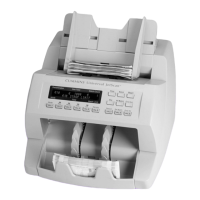
12 | Single-pocket JetScan
®
currency scanner | Stopping conditions and recovery steps
Stopping conditions and recovery steps
The following conditions cause the machine to stop and require action by the user.
Condition The machine identied a
note that is different than those it was
processing while in SORT mode.
The change in denomination is the top
note in the pocket.
Action Remove all notes from the
pocket. Separate the top note from the
remaining notes. Put the top note in the
location for that denomination. Put all the
other notes (they are the same) in the
location for that denomination.
The machine will automatically restart.
Denominationchangeonly
Denominationchangeandstraplimit



 To Next Page