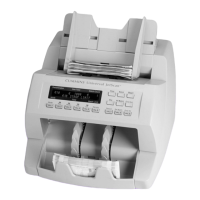
14 | Single-pocket JetScan
®
currency scanner | Stopping conditions and recovery steps
Condition The machine may have
processed two or more notes as one.
Action Remove all notes from the
pocket and place them on the hopper.
Press CONT.
If an alarm repeatedly occurs, adjust the
gray thickness dial on top of the machine
behindthehopperextension.Rotatein
the negative (-) direction as indicated by
the numbers on the front of the dial.
Feederrors
Condition The machine cannot
recognize the denomination and stopped.
This NO CALL is the top note in the pocket
and has not been included in the count.
Action
Inspect the top note in the
pocket. Do not remove all notes from the
pocket.
To count the note, keep the note in the
pocket and then enter its denomination
using the correct denominationvaluekey
($1, $5, $10, etc.). The machine will start,
and this note will be added to the count.
To reject the note, remove the note from the pocket and press CONT. The machine will
restart. The removed note will not be added to the count.
If the note is not mutilated, it may be returned to the hopper for reprocessing.



 To Next Page