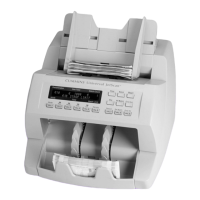
Stopping conditions and recovery steps | Single-pocket JetScan
®
currency scanner | 17
Condition Sensors detected a possible
counterfeit note. The machine stopped
with this note as the top note in the
pocket. This note has not been included
in the count.
Action
Inspect the top note in the
pocket.Nexttherearetwooptions:
•Ifthenoteisdeemedgenuine,
return it to the pocket and press the
appropriate denominationvaluekey.
The machine will restart, and this note
will be added to the count.
•Ifthenoteisdeemedcounterfeit,placeitasideandpressCONT. It will not be
included in the count.
Code Possible causes Code Possible causes
S1
•Incorrectnotepaper
•Soilednote
S8*
•Notefailedadvanced
counterfeit test
•Wornnote
S2
•Incorrectnotepaper
•Machine-washednote
•Tapednote
S10*
•Incorrectinkerror
•GenuineAKSeries$100
•Wornnote
S3
•Incorrectnotepaper
•Soilednote
S11*
•Incorrectinkerror
•Wornnote
S5
•Incorrectinkerror
•Wornnote
* These error codes are most common among
super notes, which are high-quality counterfeits.
Notes producing these codes should be carefully
examined.
Higher probability
of a super note
S8 S10 S11
Lower probability of a
super note, but commonly
identies poor-quality
counterfeit notes
S1 S2 S3 S5



 To Next Page