Daily cleaning procedures | Single-pocket JetScan
®
currency scanner | 25
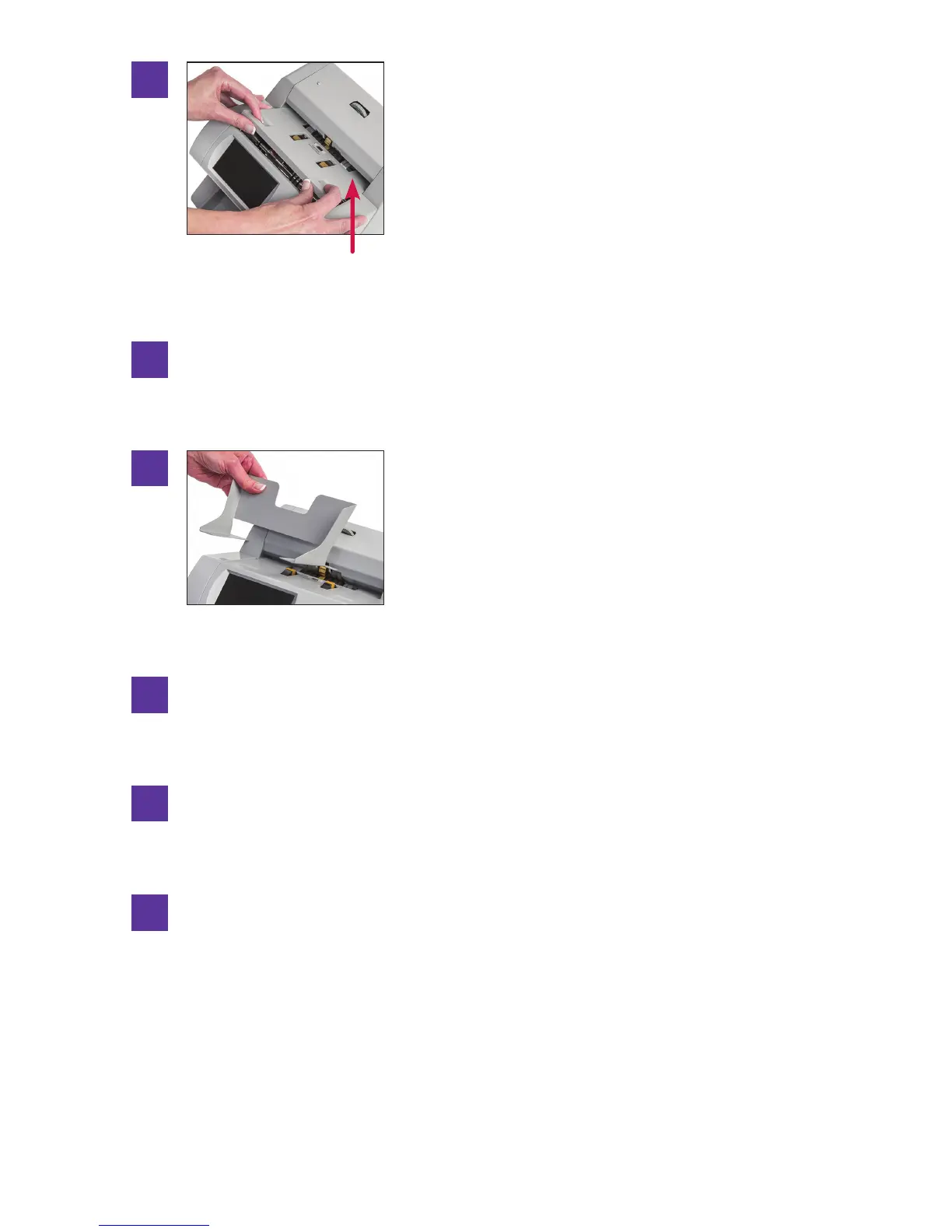
Replace the feeder plate. Insert the curved edge of
the feeder plate rst. Gently press down on the
feeder plate until it snaps into position.
UseaSimpleGreenSafetyToweltocleanexteriorsurfaces.
Replacethehopperextension.
Carefully reconnect the power cord.
Turn the power switch ON (rocker panel to I).
Perform a test run with some notes.
12
13
14
15
10
Curved edge
11



 To Next Page