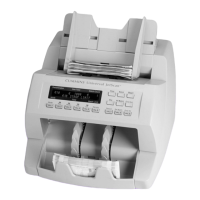
Getting started | Single-pocket JetScan
®
currency scanner | 7
Mainscreenkey Description
PRINT
(Continued)
When ADD is ON, press PRINT to generate a report showing
sub-batch or batch totals after END is pressed to end the
sub-batch or batch.
UNIT
Press to change the batch total and sub-batch total on the
main screen to piece counts.
STRAP
Press to prompt the STRAP SETTINGS screen, where strap
limits are set, and strap counts are cleared.
CONT
Press to start the motor.
END
Press to clear current batch totals. When SBATENABLE is
ON in SETUP, pressing END once clears the sub-batch total
and pressing END a second time clears the batch total.
ADD
Press to enable or disable the ADD function. When enabled,
sub-batch or batch totals accumulate after notes are
removed from the pocket.
VERFY
Press to enable the verify function, which allows notes to
be processed off-line. This function can be used to recount
and reconcile any count suspected of being wrong without
adding to current batch or day totals.
When VERFY is pressed, machine totals return to zero,
and the machine processes notes following rules of the
indicated mode. When VERFYispressedagaintoexitthe
function, the machine returns to the operating mode, as well
as totals and settings, that were active prior to using the
verify function.
SD
Press to activate counterfeit detection on applicable
models.
MODE
Press to prompt the MODE SELECTION screen, which
displays all processing modes that have been enabled in
SETUP.
MENU
Press to prompt the MAIN SUB-MENU, which provides
access to additional menus for reports and machine
adjustments.



 To Next Page