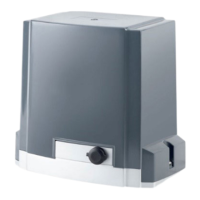
DKC600 (U) & DKC600 (U)Y SLIDING GATE OPERATOR USER’S MANUAL
Adding extra remote controls (learn): Press the button ‘LEARN’ about 1 second(See
Fig.14 terminal 9) on the control board, release the button till the ‘LED2’ turns on, then
press the same remote control button which you want to use twice, the ‘LED2’ will flash
several times and then turn off, The learning process is finished.
Up to 40 remote controls may be used.
Erase remote controls: To erase all existing remote controls, press and hold ‘LEARN’
button about 8 seconds till the ‘LED2’ turns on and turns off. This indicates that all the
remote controls have been erased completely.
Warning: For safety and security, we recommend that the factory setting be
replaced with a personal code.
The remote control works in single channel mode. See Fig.15. with each press of the
button, the gate will close stop open stop cycle.
Warning: Notify the users that the gate is never to be operated unless it is in full view.
Verify open direction: If the gate does not move in the desired direction, then you will
need to reverse the motor operating direction, you can do this by exchanging wires ‘V’
and ‘W’, ‘OP’ and ‘CL’.
Exchange wires ‘OP’ and ‘CL’ if the limit direction is wrong.
WARNING: Do not attempt to tune the gate by placing your hand, arm or other body part in the
path of the gate, as serious injury could result. Damage to the gate operator motors may also
occur by placing a heavy immovable object in the path during the testing phase. Instead, place
a light object in the path (e.g., a chair or trash can) which can be pushed out of the way without
causing damage to gate motors. Once the tuning is complete you may replace the cover.
External button switch (not included): two different modes you can select
according to your order.
Three-button external button switch: connect external button switch to terminal ‘K’, ‘T’,
‘G’ and ‘GND’. Press ‘OPEN’ button, the gate will open. Press ‘STOP’ button, the gate
will stop. Press ‘CLOSE’ button, the gate will close.
Single-button/keypad: connect keypad to terminal ‘OSC’ and ‘GND’, with each press of
the button, the gate will close, stop, open or stop cycle.
Auto-close function: This feature can be selected to make the gate stay open for some
seconds before it automatically closes. The auto-close time can be adjusted by
DIP-switch.
Auto close function is
unavailable
WARNING: Infrared photocell must be used.


 To Next Page
 Loading...