DKC600 (U) & DKC600 (U)Y SLIDING GATE OPERATOR USER’S MANUAL
7. Connecting ----DKC600(U)Y
Make sure that the power is OFF before making any electrical connections.
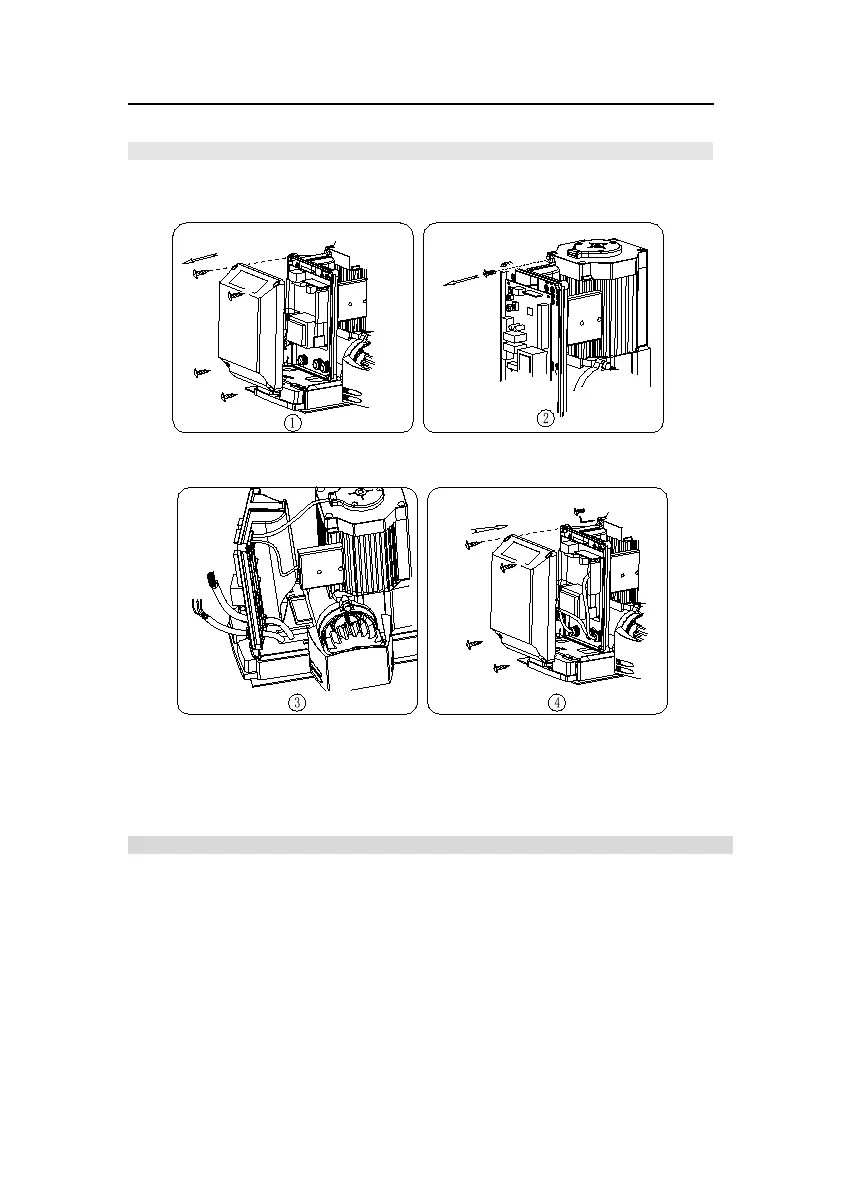
Control board included in the gate operator, Perform the wiring.
Open the cover.
Loose the screws on the
control board.
Lead the cable through the control
board, fasten the waterproof
connectors.
After wiring, tighten the screws
then close the cover.
Fig.13 Wiring
8.Electrical
Make sure that the power is OFF before making any electrical connections. Remove the cover
of the control box, perform the wiring and replace the cover again. (Refer to Fig.14 control
board scheme and wiring notes)



 To Next Page