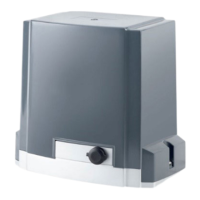
DKC600 (U) & DKC600 (U)Y SLIDING GATE OPERATOR USER’S MANUAL
Pedestrian mode: Connect the pedestrian button switch to ‘P’ and ‘GND’ terminal on
the control board. Set auto close time first (auto-close time can be adjusted by
DIP-switch), press the button 4 of remote control or pedestrian button switch, the gate
will open about 1.2 meters for people pass through, after passing through the gate, the
gate will close automatically.
Adjustment of opening & closing force: rotate the ‘VR1’ (See Fig.14 terminal 7) knob
with a screwdriver to adjust opening & closing force, the force may be increased (or
decreased) by rotating clockwise (or counterclockwise). If you turn the variable resistor
clockwise it will increase force. If you turn the variable resistor counterclockwise, it will
decrease force.
Adjustment of soft stop width: Rotate the ‘VR2’ knob (See Fig.14 terminal 6) to adjust
soft stop width, the width may be increased by rotating clockwise (soft stop width:
0-40cm adjustable).
Infrared photocell (not included): If infrared beam is interrupted during closing, the
gate will reverse and go open immediately. Connect infrared photocell to terminal ‘IR’
and ‘GND’ on the control board. Short ‘IR’ and ‘GND’ if infrared photocell is not used.
Open priority: The gate will return to open if press ‘OPEN’ button of external button
switch during closing.
Loop detector: connect loop detector (N.O.) to terminal block ‘DET’ and ‘GND’ .
If loop detector detects vehicles during closing, the gate will open immediately and stay
open until the vehicles move out of the loop. After vehicles move out of the loop, the gate
will continue to close.
If loop detector detects vehicles when the gate stops, the gate will open immediately
until vehicles move out of the loop. After vehicles move out of the loop, the gate will
close.
Soft start: snip the short wire ‘S3’, the gate will start softly.
Over- heat protection: The device is equipped with a thermal protector. The motor is
only designed to continuous work for less than 15 minutes. If it is runs continually for an
extended period of time, a thermal protector will stop it because of the high temperature.
10. Final Check
Check the power supply, grounding and wiring before running the device.
Release the gear clutch with the release key to determine whether or not the gate can be
moved manually. If everything is in good working order, tighten the clutch with the key.
Switch on the power and run the device to ensure that the gate is sliding smoothly.
Adjust the magnet (block) position until the gate opened and closed properly at the limited
positions.


 To Next Page
 Loading...