1 — OVERVIEW
Curtis Model 3301T Digital Instrumentation – September 2021
Return to TOC
pg. 2
USING THIS MANUAL
e next section describes the 3301T’s features. e following list describes the topics that apply to
various types of tasks:
• Vehicle operators should read the Using the 3301T chapter.
• Technicians who work on installation and wiring, or who need information on specications,
should read the Installation and Wiring chapter and the Specications appendix.
• Application developers should be familiar with the following chapters:
– Programmable Parameters
– Monitor Parameters
– CANopen Communications
FEATURES
e following sections describe the 3301T’s major features.
Display Elements
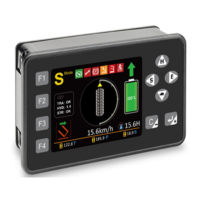
e following list describes the 3301T’s major display elements:
• Gauges: Gauges represent various types of data. For example, an application can include
gauges that indicate the vehicle speed, BDI percentage, forkli status, and steering angle.
• Icons: Icons indicate states such as on/o. For example, icons can indicate whether the seat
belt is on or whether li lockout is active.
• Hour meter: Hour meters provide a resolution of 0.1 hours and a maximum of 99999.9
hours. ere are four hour meters: one is for the 3301T and three are for Curtis devices on
the CANbus.
• Speed mode: e 3301T provides buttons for four speed modes. e selected mode is
transmitted over the CANbus.
Fault Codes and Names
e 3301T displays fault codes and names for Curtis devices. ere are a few ways in which the
3301T can receive fault codes:
• e CANbus.
• A switch input for Curtis DC pump controllers such as the 1253 and 1253C models.
• A switch input for Curtis DC traction controllers such as the 1243 and 1244 models.
e corresponding fault names of the fault codes are stored by the 3301T and are displayed on the
Fault Name screen.


 To Next Page