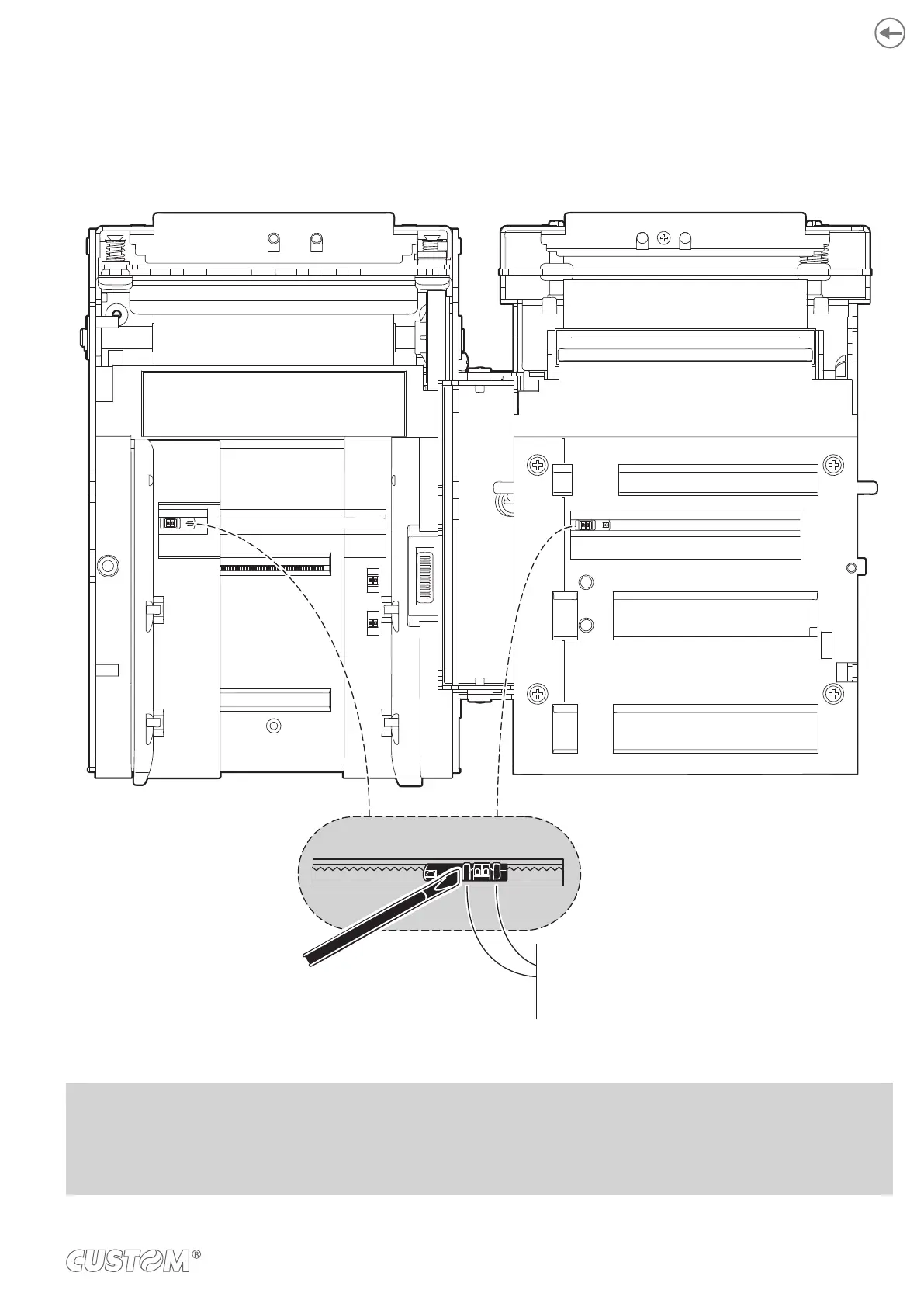
To adjust the mobile sensors position according to the black mark position and type on paper, open the device cover and
move the sensors to the desired position using a small screwdriver or a pointed object.
ATTENTION:
To avoid damaging the sensors, use the plas-
tic tabs as foothold for the screwdriver to
push the sensor in the desired position
NOTES:
For ease of reference, for some models is represented only the internal printer group without external plastic chassis
or triple feeder.
59













 To Next Page