1. INSTALLATION AND USE
71-
DPT100-B/I/BT
(13)
Note: These parameters listed in the setup, are present only from the Firmware BlueTooth release 1.02
(FW ); in the previously version are not reported.
(14)
Note : In the printer label version (s’print-LP1 model) this parameter is not indicated because the
alignment is always enabled.
The printer’s configurable parameters are :
• Interface: BlueTooth
D
, RS232.
• Name ID
(15)
: NO ID
D
, #0, #1, #2, #3, #4, #5, #6, #7, #8, #9.
• Authentication
(16)
: Enabled, Disabled
D
.
• Object Push Profile
(13) (17)
: Enabled, Disabled
D
.
• Baud Rate
(18)
: 38400, 19200, 9600
D
, 4800, 2400, 1200, 600.
• Data length
(18)
: 7, 8
D
bits/car.
• Parity
(18)
: None
D
, Even or Odd.
• Hanshaking
(18)
: XON/XOFF
D
or Hardware.
• Autofeed : CR Disabled
D
or CR Enabled.
• Battery: 1000 mAh, 1100 mAh, 1200 mAh, 1300 mAh, 1400 mAh, 1500 mAh, 1600 mAh, 1700 mAh,
1800 mAh, 1850 mAh
D
, Alkaline.
• Standby: 1min, 5min
D
, 10 min, 30 min, 1 h, 2h, None.
• Print mode: Normal
D
, Reverse.
• Alignment
(14)
: Disabled
D
, Enabled.
• Print Density: -2, -1, 0
D
, +1, +2.
Please note: The parameters marked with the symbol
D
represent the default values.
If Bluetooth interface is enabled, it’s better do not send data on RS232 line, because data
could overlap Bluetooth wireless line.
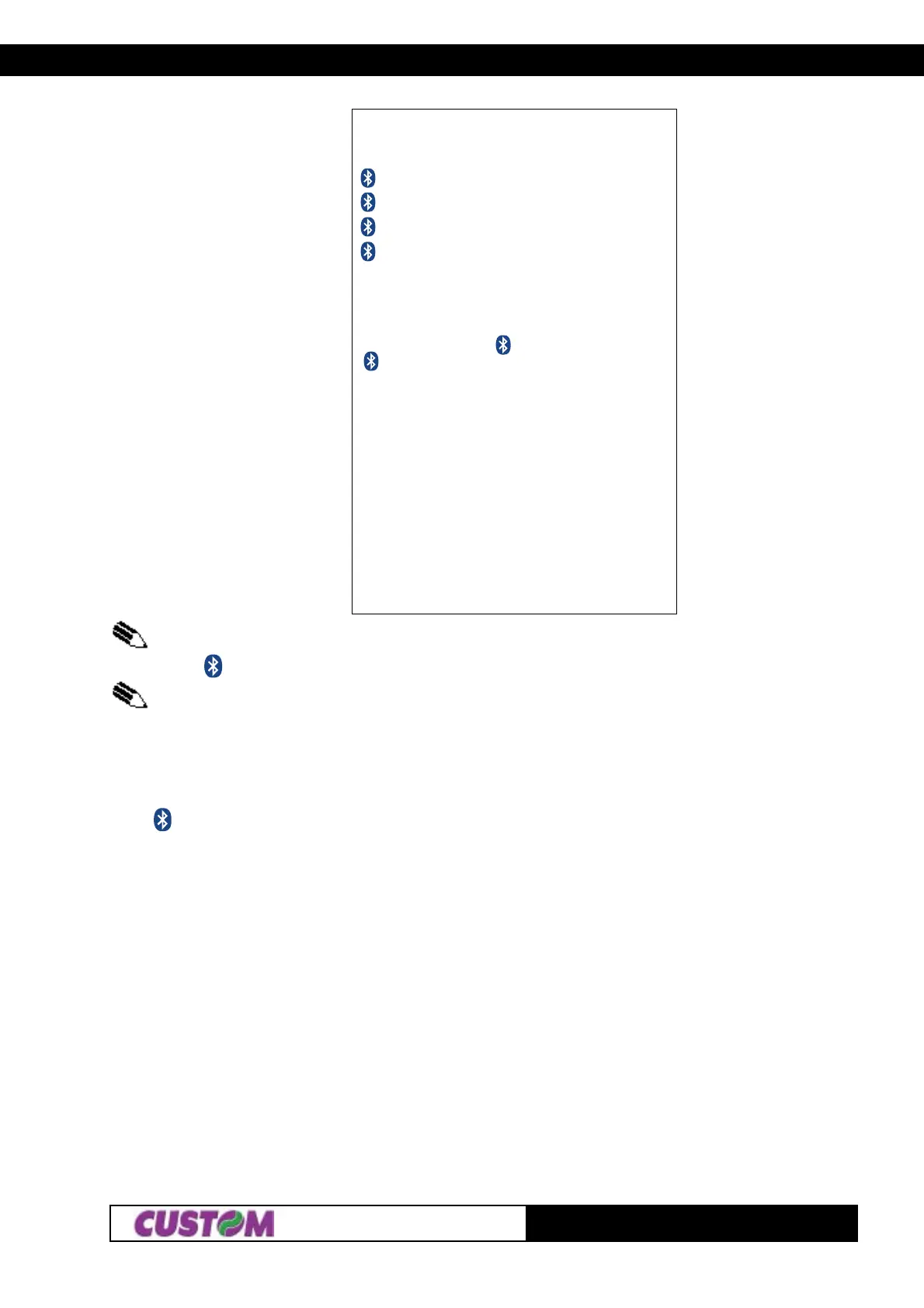
(Fig.1.10)
SETUP DEFAULT :
Test = OK
NAME = S’print-BT
PIN = 12345
ADDR = 00:0E:6D:CE:39:8D
(13)
HEAD TEMP. [°C] = 27.5
BATT TEMP. [°C] = 25
HEAD VOLT [V] = 6.2
Interface : Bluetooth
Name ID : NO ID
Authenticat : Enabled
Obj Push Pr : Enabled
(13)
Autofeed : CR Disabled
Battery : 1700 mAh
Standby : 5 MIN
Print mode : Normal
Alignment : Disabled
(14)
Print Density: 0
[PUSH] ENTER SETUP
[FAST PUSH] EXIT SETUP



 To Next Page