EasyManua.ls Logo

CVS 271245 - User Manual

CVS 271245
32 pages
Print Icon
To Next Page IconTo Next Page
Loading...
CVSBW1-A-JUL23-04-1

Questions and Answers

Summary

Introduction to the CVS Automatic Blood Pressure Monitor

Features of the Automatic Blood Pressure Monitor

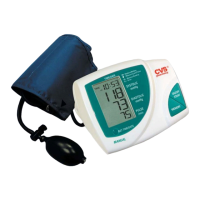
Details the characteristics of the CVS automatic blood pressure monitor, model #271245, highlighting its fully automatic and digital nature.

Important Information About Self-Measurement

Provides critical guidance on self-measurement, emphasizing it's for control, not diagnosis, and warns against altering prescribed medication dosages.

Understanding Blood Pressure and Measurement

How High or Low Blood Pressure Develops

Explains the physiological basis of blood pressure, including its regulation by the brain and circulatory system, and how vessel width affects it.

Normal Blood Pressure Values

Defines normal, high, and low blood pressure ranges based on systolic and diastolic readings, advising consultation with a doctor for abnormal values.

Managing High or Low Blood Pressure Readings

Details actions for high or low blood pressure, including consulting a doctor, lifestyle adjustments like diet and exercise, and managing previous illnesses.

Components of the Blood Pressure Monitor

The Measuring Unit

Identifies the main unit of the blood pressure monitor, including its display, buttons, and connection ports.

Upper Arm Cuffs

Describes the available upper arm cuffs, including standard and large sizes, and provides guidance on cuff selection and connection.

Operating Your Blood Pressure Monitor

Inserting the Batteries

Provides step-by-step instructions on how to insert AA batteries, including polarity and low battery indicator information.

Using an AC Power Adapter

Explains how to connect and use an optional AC power adapter for operating the blood pressure monitor.

Connecting the Cuff Tube

Details the procedure for inserting the cuff tube into the designated opening on the instrument.

Setting the Time and Date

Guides users on how to set the current time and date on the blood pressure monitor using the buttons.

Blood Pressure Measurement Procedure

Preparation Before Measurement

Advises on preparing for measurement, including resting, removing restrictive clothing, and ensuring consistent timing and arm usage.

Common Sources of Measurement Error

Highlights factors that can lead to inaccurate readings, such as arm position, cuff fit, and patient movement during measurement.

Proper Cuff Fitting

Provides detailed instructions and illustrations for correctly fitting the blood pressure cuff onto the upper arm.

Performing the Measurement

Describes the step-by-step process of taking a blood pressure reading, from inflating the cuff to displaying the results.

Accessing Stored Measurements

Explains how to use the memory function to recall previously stored blood pressure readings, including the average value.

Interrupting a Measurement

Details how to stop a blood pressure measurement prematurely if necessary, ensuring cuff pressure is released.

Error Messages and Troubleshooting

Error Codes and Their Causes

Lists specific error codes (ER 1, ER 2, ER 3, ER 5) displayed by the monitor and explains their potential causes.

Troubleshooting Common Malfunctions

Provides solutions for common issues like blank displays, pressure problems, or inconsistent readings, and advises on checking connections.

Care and Maintenance of the Monitor

Warranty Information

Certifications and Standards

Technical Specifications

Contact Information and Support

Summary

Introduction to the CVS Automatic Blood Pressure Monitor

Features of the Automatic Blood Pressure Monitor

Details the characteristics of the CVS automatic blood pressure monitor, model #271245, highlighting its fully automatic and digital nature.

Important Information About Self-Measurement

Provides critical guidance on self-measurement, emphasizing it's for control, not diagnosis, and warns against altering prescribed medication dosages.

Understanding Blood Pressure and Measurement

How High or Low Blood Pressure Develops

Explains the physiological basis of blood pressure, including its regulation by the brain and circulatory system, and how vessel width affects it.

Normal Blood Pressure Values

Defines normal, high, and low blood pressure ranges based on systolic and diastolic readings, advising consultation with a doctor for abnormal values.

Managing High or Low Blood Pressure Readings

Details actions for high or low blood pressure, including consulting a doctor, lifestyle adjustments like diet and exercise, and managing previous illnesses.

Components of the Blood Pressure Monitor

The Measuring Unit

Identifies the main unit of the blood pressure monitor, including its display, buttons, and connection ports.

Upper Arm Cuffs

Describes the available upper arm cuffs, including standard and large sizes, and provides guidance on cuff selection and connection.

Operating Your Blood Pressure Monitor

Inserting the Batteries

Provides step-by-step instructions on how to insert AA batteries, including polarity and low battery indicator information.

Using an AC Power Adapter

Explains how to connect and use an optional AC power adapter for operating the blood pressure monitor.

Connecting the Cuff Tube

Details the procedure for inserting the cuff tube into the designated opening on the instrument.

Setting the Time and Date

Guides users on how to set the current time and date on the blood pressure monitor using the buttons.

Blood Pressure Measurement Procedure

Preparation Before Measurement

Advises on preparing for measurement, including resting, removing restrictive clothing, and ensuring consistent timing and arm usage.

Common Sources of Measurement Error

Highlights factors that can lead to inaccurate readings, such as arm position, cuff fit, and patient movement during measurement.

Proper Cuff Fitting

Provides detailed instructions and illustrations for correctly fitting the blood pressure cuff onto the upper arm.

Performing the Measurement

Describes the step-by-step process of taking a blood pressure reading, from inflating the cuff to displaying the results.

Accessing Stored Measurements

Explains how to use the memory function to recall previously stored blood pressure readings, including the average value.

Interrupting a Measurement

Details how to stop a blood pressure measurement prematurely if necessary, ensuring cuff pressure is released.

Error Messages and Troubleshooting

Error Codes and Their Causes

Lists specific error codes (ER 1, ER 2, ER 3, ER 5) displayed by the monitor and explains their potential causes.

Troubleshooting Common Malfunctions

Provides solutions for common issues like blank displays, pressure problems, or inconsistent readings, and advises on checking connections.

Care and Maintenance of the Monitor

Warranty Information

Certifications and Standards

Technical Specifications

Contact Information and Support

CVS 271245 Specifications

General IconGeneral
BrandCVS
Model271245
CategoryBlood Pressure Monitor
LanguageEnglish

Related product manuals