EasyManua.ls Logo

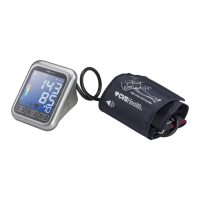
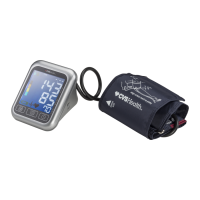
CVS BP3MW1-4BCVS - User Manual

CVS BP3MW1-4BCVS
37 pages
Print Icon
To Next Page IconTo Next Page
Loading...
B
Question and Answer IconNeed help?

Do you have a question about the CVS BP3MW1-4BCVS and is the answer not in the manual?

Summary

Introduction and Safety

Self-Measurement Guidance

Self-measurement is for control, not diagnosis or treatment. Consult doctor for unusual values or medication changes.

Device Components

Initial Setup and Configuration

Battery Installation and Replacement

Instructions for inserting and replacing AA batteries, including low battery indicator.

Setting Date and Time

Step-by-step guide on how to set the year, month, day, hour, and minutes on the device.

AC Power Adapter Usage

Instructions for connecting and using the AC adapter for power, noting battery power is not used when connected.

Operating the Blood Pressure Monitor

Measurement Process and Accuracy

Pre-Measurement Preparation

Advises on resting, removing restrictive clothing, and measuring at the same time of day for accurate results.

Identifying Measurement Errors

Lists factors that can lead to inaccurate readings, such as user support, arm position, and cuff fit.

Correct Cuff Fitting

Step-by-step guide on how to correctly wrap and position the cuff on the upper arm.

Performing a Measurement

Details the steps for taking a measurement after cuff placement, including inflation, deflation, and display of results.

Data Management and Health Indicators

Irregular Heartbeat Detection

Describes the symbol indicating pulse irregularities and advises when to consult a doctor.

Battery Status Monitoring

Explains the battery symbols for low charge and discharged batteries, and instructions for replacement.

Connectivity and Software

Troubleshooting and Device Care

Error Codes and Solutions

Details common error codes (ERR 1, ERR 2, etc.) and their possible causes and solutions.

Summary

Introduction and Safety

Self-Measurement Guidance

Self-measurement is for control, not diagnosis or treatment. Consult doctor for unusual values or medication changes.

Device Components

Initial Setup and Configuration

Battery Installation and Replacement

Instructions for inserting and replacing AA batteries, including low battery indicator.

Setting Date and Time

Step-by-step guide on how to set the year, month, day, hour, and minutes on the device.

AC Power Adapter Usage

Instructions for connecting and using the AC adapter for power, noting battery power is not used when connected.

Operating the Blood Pressure Monitor

Measurement Process and Accuracy

Pre-Measurement Preparation

Advises on resting, removing restrictive clothing, and measuring at the same time of day for accurate results.

Identifying Measurement Errors

Lists factors that can lead to inaccurate readings, such as user support, arm position, and cuff fit.

Correct Cuff Fitting

Step-by-step guide on how to correctly wrap and position the cuff on the upper arm.

Performing a Measurement

Details the steps for taking a measurement after cuff placement, including inflation, deflation, and display of results.

Data Management and Health Indicators

Irregular Heartbeat Detection

Describes the symbol indicating pulse irregularities and advises when to consult a doctor.

Battery Status Monitoring

Explains the battery symbols for low charge and discharged batteries, and instructions for replacement.

Connectivity and Software

Troubleshooting and Device Care

Error Codes and Solutions

Details common error codes (ERR 1, ERR 2, etc.) and their possible causes and solutions.

CVS BP3MW1-4BCVS Specifications

General IconGeneral
BrandCVS Health
ModelBP3MW1-4BCVS
CategoryBlood Pressure Monitor
TypeUpper Arm
TechnologyOscillometric
Irregular Heartbeat DetectionYes
Memory60 Readings
User Profiles2
Cuff SizeStandard
Power Source4 AA Batteries
Display TypeDigital LCD

Related product manuals