EasyManua.ls Logo

CVS 800229 - User Manual

Default Icon
33 pages
Print Icon
To Next Page IconTo Next Page
Loading...
ŃőĴŎŘIJĮĵŚ
CVS-MW1-4B IB-final-062716-Q10.qxp_MLU3AC1-JAN05-2 2017/3/20 下午2:47 頁面 1
Question and Answer IconNeed help?

Do you have a question about the CVS 800229 and is the answer not in the manual?

Summary

1. Introduction

1.3. Important information about self-measurement

Self-measurement is for control, not diagnosis. Avoid electromagnetic interference.

2. Important information on blood pressure and its measurement

2.2. Which values are normal?

Provides guidance on interpreting blood pressure values and consulting a doctor for normal ranges.

2.3. What can be done if regular high or low values are obtained?

Advises consulting a doctor and discusses health risks and lifestyle changes for high blood pressure.

3. Components of your blood pressure monitor

4. Using your blood pressure monitor for the first time

4.1. Inserting the batteries

Instructions for inserting and replacing batteries, including notes on battery type and removal.

4.3. Setting the date and time

Step-by-step guide on how to set the current date and time on the monitor.

5. Measurement procedure

5.1. Before measurement

Provides important pre-measurement advice: rest, relax, avoid exertion, and proper posture.

5.2. Common sources of error

Lists common mistakes affecting accuracy, such as arm movement, cuff placement, and insufficient rest.

5.3. Fitting the cuff

Detailed instructions on how to correctly fit the blood pressure cuff on the upper arm for accurate readings.

5.4. Measuring procedure

Step-by-step guide on how to perform a blood pressure measurement using the device.

5.8. Hypertension risk indicator

Explains the color-coded traffic light indicator for classifying blood pressure risk levels (Normal to Stage 2).

6. Software functions

7. CVS Application

8. Bluetooth functions and application (App)

9. Error messages;troubleshooting

Error No. ERR 1, ERR 2, ERR 3, ERR 5, HI, LO

Lists error codes, their possible causes, and solutions for troubleshooting measurement issues.

Other possible errors and their solutions

Provides remedies for common malfunctions like blank display, slow inflation, or inconsistent readings.

8. Care and maintenance

11. Technical specifications

12. How to contact us

Summary

1. Introduction

1.3. Important information about self-measurement

Self-measurement is for control, not diagnosis. Avoid electromagnetic interference.

2. Important information on blood pressure and its measurement

2.2. Which values are normal?

Provides guidance on interpreting blood pressure values and consulting a doctor for normal ranges.

2.3. What can be done if regular high or low values are obtained?

Advises consulting a doctor and discusses health risks and lifestyle changes for high blood pressure.

3. Components of your blood pressure monitor

4. Using your blood pressure monitor for the first time

4.1. Inserting the batteries

Instructions for inserting and replacing batteries, including notes on battery type and removal.

4.3. Setting the date and time

Step-by-step guide on how to set the current date and time on the monitor.

5. Measurement procedure

5.1. Before measurement

Provides important pre-measurement advice: rest, relax, avoid exertion, and proper posture.

5.2. Common sources of error

Lists common mistakes affecting accuracy, such as arm movement, cuff placement, and insufficient rest.

5.3. Fitting the cuff

Detailed instructions on how to correctly fit the blood pressure cuff on the upper arm for accurate readings.

5.4. Measuring procedure

Step-by-step guide on how to perform a blood pressure measurement using the device.

5.8. Hypertension risk indicator

Explains the color-coded traffic light indicator for classifying blood pressure risk levels (Normal to Stage 2).

6. Software functions

7. CVS Application

8. Bluetooth functions and application (App)

9. Error messages;troubleshooting

Error No. ERR 1, ERR 2, ERR 3, ERR 5, HI, LO

Lists error codes, their possible causes, and solutions for troubleshooting measurement issues.

Other possible errors and their solutions

Provides remedies for common malfunctions like blank display, slow inflation, or inconsistent readings.

8. Care and maintenance

11. Technical specifications

12. How to contact us

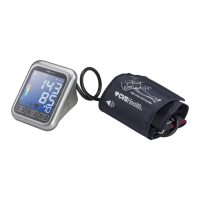
CVS 800229 Specifications

General IconGeneral
Model Number800229
BrandCVS Health
CategoryBlood Pressure Monitor
TypeUpper Arm
DisplayDigital
Power Source4 AA batteries (included)

Related product manuals