To prevent the risk of fire or electric shock, install in a temperature and humidity controlled indoor area free of
conductive contaminants. (Please see specifications for acceptable temperature and humidity range).
To reduce the risk of electric shock, do not remove the cover. There are no user serviceable parts inside.
Hazardous live parts inside can be energized by the battery even when the AC input power is disconnected.
The UPS must be connected to an AC power outlet with fuse or circuit breaker protection. Do not plug into an
outlet that is not grounded. If you need to de-energize this equipment, turn off and unplug the unit.
To avoid electric shock, turn off the unit and unplug it from the AC power source before installing a computer
component.
Not for use in a computer room as defined in the Standard for the Protection of Electronic Computer/Data
Processing Equipment, ANSI/NFPA 75.
To reduce the risk of fire, connect only to a circuit provided with 20 amperes maximum branch circuit over
current protection in accordance with the National Electric Code, ANSI/NFPA 70.
DO NOT USE FOR MEDICAL OR LIFE SUPPORT EQUIPMENT!
CyberPower Systems does not sell products for life support or medical applications. DO NOT use in any
circumstance that would affect operation and safety of life support equipment, any medical applications or patient
care.
DO NOT USE WITH OR NEAR AQUARIUMS! To reduce the risk of fire or electric shock, do not use with or near an
aquarium. Condensa-tion from the aquarium can cause the unit to short out.
DO NOT USE THE UPS ON ANY TRANSPORTATION! To reduce the risk of fire or electric shock, do not use the
unit on any transportation such as airplanes or ships. The effect of shock or vibration caused during transit and the
damp environment can cause the unit to short out.
INSTALLING YOUR UPS SYSTEM
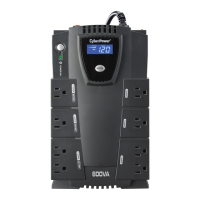
Thank you for selecting a CyberPower Systems Uninterruptable Power Supply (UPS). This UPS meets the Energy
Efficiency Certification of the California Energy Commission (CEC). CyberPower Systems is dedicated to producing
energy efficient products to maximize our con-tribution to the environment.
UNPACKING
Inspect the UPS upon receipt. The box should contain the following:
(a) UPS unit
(b) User’s manual
(c) USB A+B type cable
*PowerPanel® Personal software is available as a free download at: CyberPowerSystems.com/products/software
DETERMINE THE POWER REQUIREMENTS OF YOUR EQUIPMENT
1. Ensure that the equipment plugged into the UPS does not exceed the UPS unit’s rated capacity (450VA/260W
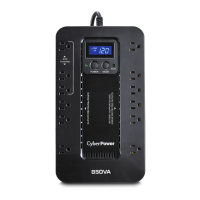
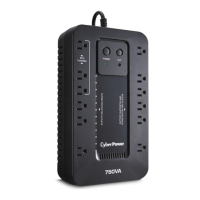
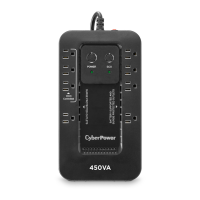
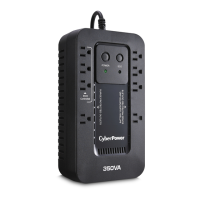
for EC450G, 550VA/330W for EC550G, 750VA/450W for EC750G, 650VA/390W for EC650LCD, and
850VA/510W for EC850LCD). If the rated capacities of the unit are exceeded, an overload condition may occur
and cause the UPS unit to shut down or the circuit breaker to trip.
2. There are many factors that can affect the amount of power that your electronic equipment will require. For
optimal system performance keep the load below 80% of the unit’s rated capacity.
HARDWARE INSTALLATION GUIDE
1. Your new UPS may be used immediately upon receipt. However, after receiving a new UPS, to ensure the
battery’s maximum charge capacity, it is recommended that you charge the battery for at least 8 hours. Your
UPS is equipped with an auto-charge feature. When the UPS is plugged into an AC outlet, the battery will
automatically charge whether the UPS is turned on or turned off.
Note: This UPS is designed with a safety feature to keep the system from being turned on during shipment.
The first time you turn the UPS on, you will need to have it connected to AC power or it will not power up.
2. With the UPS unit turned off and un-plugged, connect your computer, monitor, and any other peripherals
requiring battery backup into the battery power supplied outlets. Plug the other peripheral equipment (e.g.
printer, scanner, speakers, etc.) into the full-time surge protection outlets. DO NOT plug a laser printer, paper
shredder, copier, space heater, vacuum cleaner, sump pump, or other large electrical device into the “Battery









 To Next Page