POWER ALARM CONDITION
On Off Normal
On
Beep twice
every 30
seconds
Utility Failure – The UPS is providing power
to battery power-supplied outlets from its
battery.
On
Rapid
beeping
every 1/2
second
Utility Failure – The UPS is providing battery
power. Rapid beeping indicates the unit will
run out of power shortly.
On/Off
Constant
tone
Battery Overload – Occurs when connected
equipment exceeds the listed capacity of the
UPS. Turn the UPS off, unplug at least one
piece of equipment from battery outlets, wait
10 seconds, reset the circuit breaker and turn
the unit on.
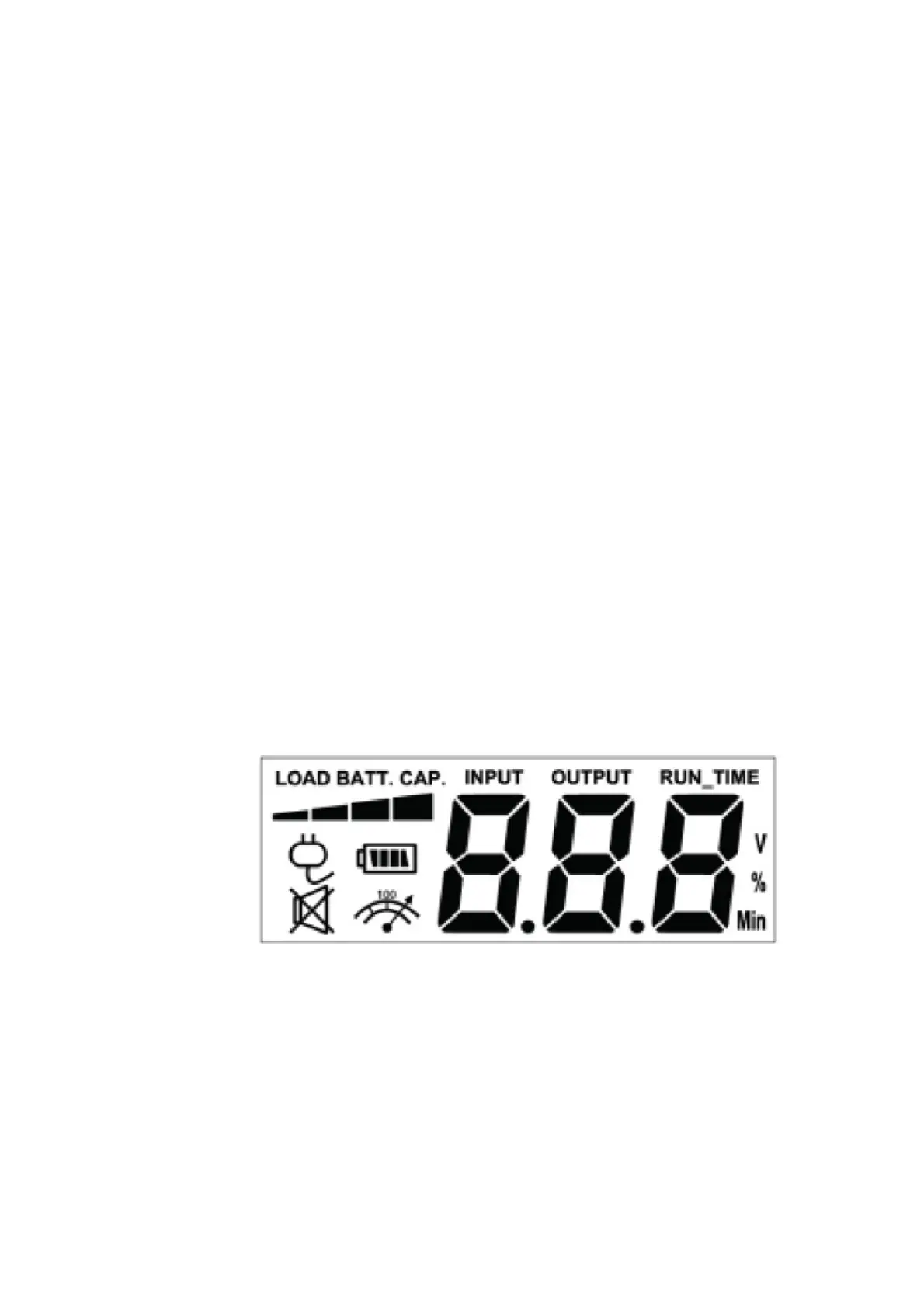
DEFINITIONS FOR ILLUMINATED LCD INDICATORS
(EC650LCD and EC850LCD only)
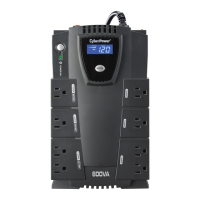
INPUT voltage meter: This meter measures the AC voltage that the UPS system is receiving from the utility wall
outlet. The UPS is designed to continuously supply connected equipment with stable output voltage. In the event of a
complete power loss, extended power reduction, or over-voltage, the UPS relies on its internal battery to supply
consistent 110/120 output voltage. The INPUT voltage meter can be used as a diagnostic tool to identify poor-quality
input power.
OUTPUT voltage meter: This meter measures, in real time, the AC voltage that the UPS system is providing to the
connected equipment during normal AC/Utility Power mode and battery backup mode.
ESTIMATED RUNTIME: This displays the run time estimate of the UPS with the current battery capacity and load.
NORMAL icon: This icon appears when the UPS is working under normal conditions.
BATTERY icon: During an extended power re-duction or power outage, this icon appears and an alarm sounds (two
short beeps followed by a pause) to indicate the UPS is operating from its internal battery. The alarm will continue to
sound during a prolonged power reduction or power outage. The BATT.CAPACITY meter will show one 20%
capacity segment remaining to indicate the UPS’s battery is nearly out of power. You should save files and turn off
your equipment immediately.
The LCD display indicates a variety of UPS operational conditions. All descriptions apply when the UPS is plugged
into an AC outlet and turned on or when the UPS is on battery.
OVER LOAD icon: This icon appears and an alarm sounds to indicate the battery-supplied outlets are overloaded.
To clear the overload, unplug some of your equipment from the battery-supplied outlets until the icon turns off and
the alarm stops.
BATTERY CAPACITY meter: This meter dis-plays the approximate charge level of the UPS’s internal battery in
20% increments. During a power outage or extended power reduction, the UPS switches to battery power (the BAT-
TERY icon appears) and the battery charge level decreases.
LOAD CAPACITY meter: This meter displays the approximate output load level of the UPS battery outlets in 20%
increments.
TROUBLESHOOTING









 To Next Page