and Surge Protected Outlets”. The power demands of these devices will overload and possibly damage the unit.
3. Plug the UPS into a 2 pole, 3 wire ground-ed receptacle (wall outlet). Make sure the wall branch outlet is
protected by a fuse or circuit breaker and does not service equip-ment with large electrical demands (e.g. air
conditioner, refrigerator, copier, etc.). The warranty prohibits the use of extension cords, outlet strips, and surge
strips in con-junction with the UPS unit.
4. Press the power switch to turn the unit on. The Power On indicator light will illuminate green and the unit will
“beep” twice.
5. If an overload is detected, an audible alarm will sound and the unit will emit one long beep. To correct this, turn
the UPS off and unplug at least one piece of equipment from the battery power supplied outlets. Make sure the
circuit breaker is depressed and then turn the UPS on.
6. To maintain optimal battery charge, leave the UPS plugged into an AC outlet at all times.
7. To store the UPS for an extended period of time, cover it and store with the battery fully charged. While in
storage, recharge the battery every three months to ensure optimal battery life.
8. Ensure the wall outlet and UPS are located near the equipment being attached for proper accessibility.
BASIC OPERATION
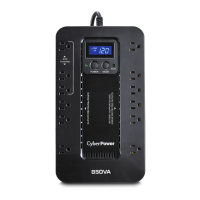
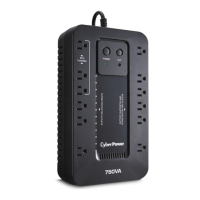
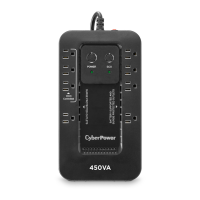
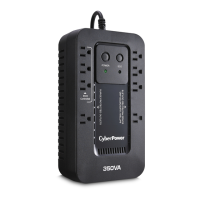
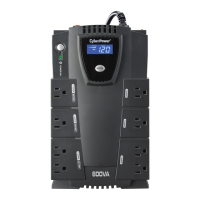
1. Battery and Surge Protected Outlets
The unit has battery powered/surge suppression outlets to ensure temporary uninterrupted operation of your
equip-ment during a power failure. (DO NOT plug a laser printer, paper shredder, copier, space heater, vacuum
cleaner, sump pump, or other large electrical device into the
“Battery and Surge Protected Outlets.” The power demands of these devices will overload and possibly damage
the unit.)
2. Full-Time Surge Protection Outlets / ECO Controlled Outlets
The unit has surge suppression outlets to provide surge and line noise protection. Three of the surge-only
outlets are also ECO controlled outlets.
3. ECO Indicator
ECO Indicator shows the condition of ECO function. For more information, refer to ECO Function Setup section.
4. Power On Indicator (green)
This LED is illuminated when the utility power is normal and the UPS outlets are providing power, free of surges
and spikes.
5. Power Switch
To turn the UPS ON, press the power button for approximately 2 seconds – you will hear a constant tone (1
second) – and release after a short beep. To turn the UPS OFF, press the power button for approximately 2
seconds – you will hear a constant tone (1 second) – and release after two short beeps. Alarm setting: The
audible alarm can be turned Off or On by double click the POW-ER button. The default setting is for the Alarm
On. To turn the Alarm Off, double click the button. You will hear two short beeps when the Alarm is turned off.
To turn the Alarm back On, double click the button. You will hear a single short beep when the Alarm is turned
on. *When the Alarm is turned Off, there will be no audible notification when the UPS reaches a low battery
state.
6. Mode Switch
(EC650LCD and EC850LCD only)
Press the Mode Switch for approximately 3 seconds to enter setup mode to select four functions: Utility High
Voltage Range, Utility Low Voltage Range, ECO ON/OFF, and LCD sleep ON/OFF. When a function is
selected, press Mode Switch for 3 seconds to view options. When an option is selected, wait for 8 seconds for
the setting to be con-firmed. After the setting has been confirmed the LCD screen will leave setup mode and go
back to status display. If there is no action for 8 seconds during setup, the LCD will also leave setup mode and
go back to the status display.
Utility High Voltage Range:
Adjust the value of high voltage range.
Utility Low Voltage Range:
Adjust the value of low voltage range.
ECO: Eon/EoF (ON/OFF):
Turn on or turn off ECO function. For more information, refer to ECO Function Setup section.
LCD: L1/L0 (ON/OFF):
* When LCD is set to L1, LCD will be always ON. When LCD is set to L0, LCD will dim if untouched
for 1 minute.
* In battery mode, LCD is always on regard-less if the setting is L1 or L0.
ECO Button (EC450G, EC550G, and EC750G only)









 To Next Page